
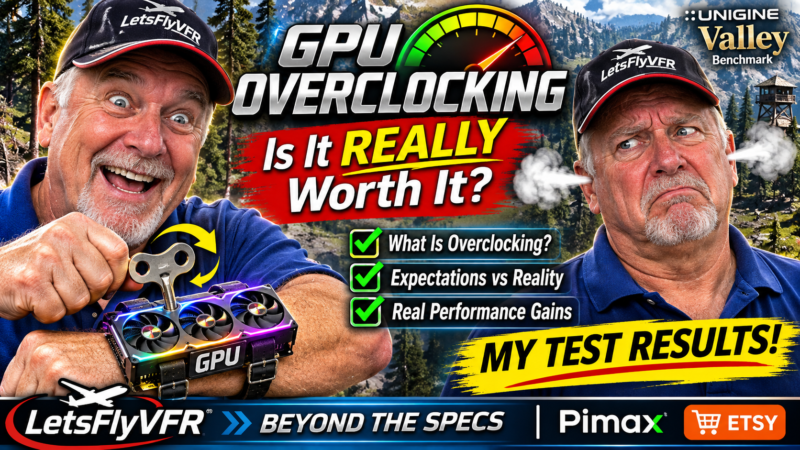
Introduction: Are You Getting More Performance or Just More Hype?

Overclocking your graphics card has always been an appealing way to squeeze a little extra performance out of your PC. Increase the clock speeds, push the memory, adjust a few settings and, supposedly, watch those frame rates climb!
But how much difference does it really make?
Spend a little time watching YouTube and you’ll find plenty of videos promising incredible results:
“I OVERCLOCKED MY GPU AND GOT 30% MORE PERFORMANCE!”
Sounds impressive, doesn’t it?
But what happens when you actually try it yourself? Are those performance gains realistic? Can you genuinely transform your gaming experience, or are you spending hours adjusting settings for a performance improvement you might barely notice?
In this edition of Beyond the Specs, we’re putting those claims to the test.
- Beyond the Specs! A Flight Simmer’s Guide to Virtual Reality & Pimax VR.
- Beyond the Specs – The Ultimate Pimax VR Buyer’s Guide (2026).
- Beyond the specs – QLED vs Mini-LED vs Micro-OLED for Flight Simulation VR.
- Beyond the Specs. The Optics Behind VR.
- Beyond the Specs – Episode 4 – The Software Magic Behind Modern VR.
- Beyond the Specs. – GPU Overclocking Tested – Is It Really Worth It?
We’re using an NVIDIA RTX 5070 and the Unigine Valley Benchmark to compare several different approaches to GPU optimisation and overclocking.
We’ll test:
- Standard NVIDIA stock settings.
- NVIDIA App optimisation settings.
- MSI Afterburner optimisation curve.
- Settings recommended by another YouTuber.
- Our own manual overclocking attempts.
And most importantly, we’ll compare the actual results.
So, is overclocking worth the effort? Let’s find out!
1. What Exactly Is GPU Overclocking?
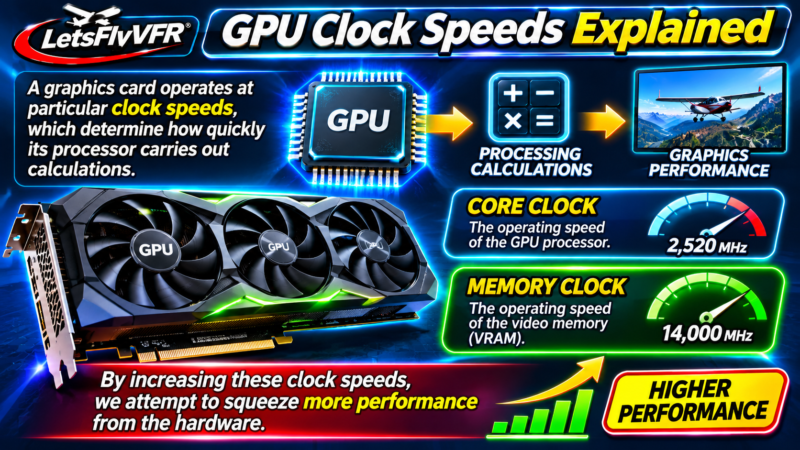
Overclocking is the process of running a computer component faster than its standard operating specifications.
In our case, we’re concentrating on the graphics processing unit (GPU).
A graphics card operates at particular clock speeds, which determine how quickly its processor carries out calculations. By increasing these clock speeds, we attempt to squeeze more performance from the hardware.
There are generally two areas we can adjust:
Core Clock
This controls the operating frequency of the GPU itself. Increasing the core clock can potentially improve processing performance.
Memory Clock
This controls the operating frequency of the graphics card’s video memory (VRAM). Increasing memory speed can improve memory bandwidth and potentially help in situations where memory throughput is a limiting factor.
However, there’s a catch.
Increasing clock speeds can also increase power consumption, temperatures and the possibility of instability. GPU’s are generally protected against over doing the increased speeds and heat and will generally crash if you get to enthusiastic.
And just because we increase a clock speed doesn’t automatically mean we’ll see a corresponding improvement in frame rates.
That’s the important distinction.
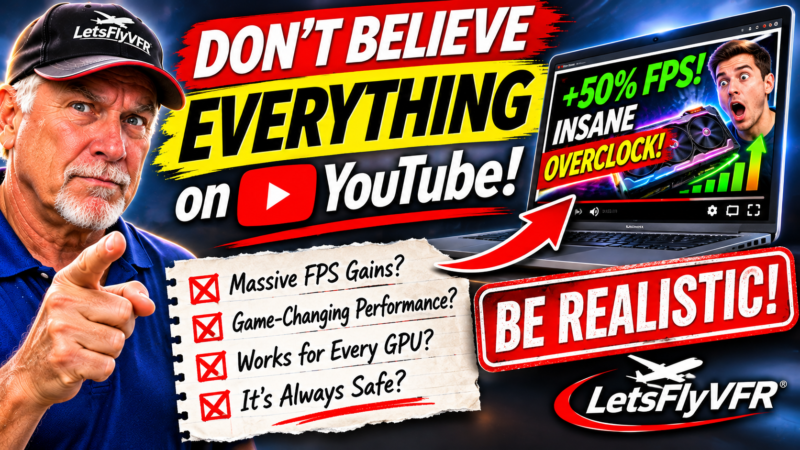
2. The Unrealistic Expectations – Don’t Believe Everything You See on YouTube!
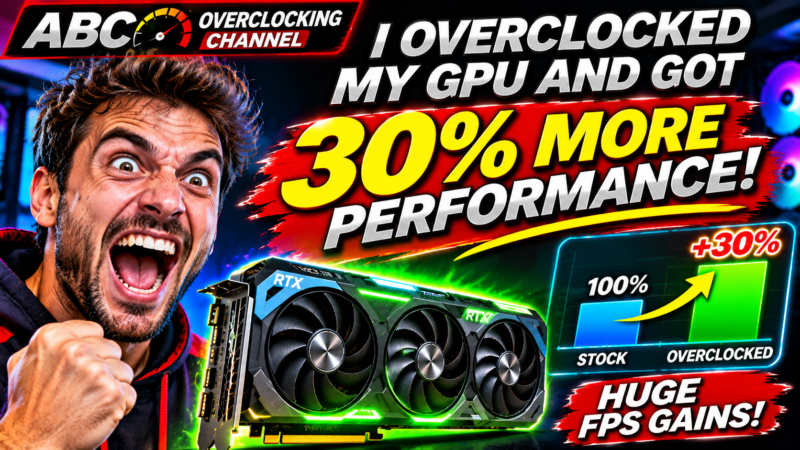
Here’s where things get interesting.
YouTube is full of videos demonstrating incredible performance improvements from graphics card overclocking. Some promise 20%, 30% or even greater improvements.
But there’s a reason those titles attract attention.
“I OVERCLOCKED MY GPU AND GOT 30% MORE PERFORMANCE!”
is obviously going to attract more clicks than:
“I Increased My Graphics Card Performance by 3%.”
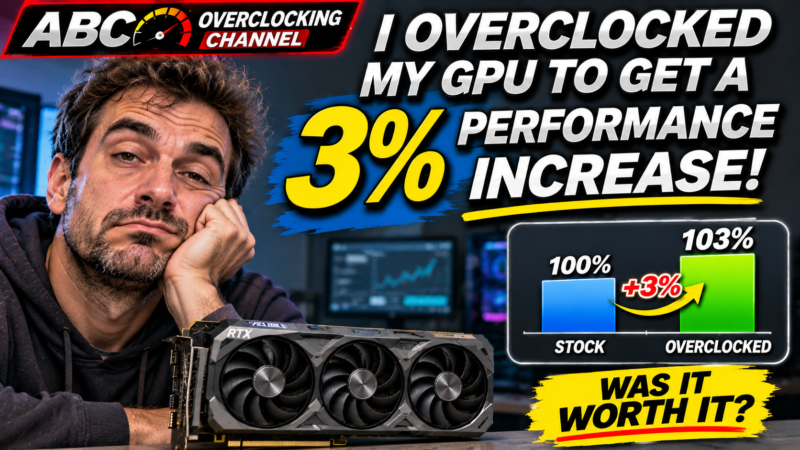
And that’s where expectations can become distorted.
A benchmark result might demonstrate an improvement, but that doesn’t necessarily translate into a dramatically better gaming experience.
There are also differences between graphics cards, cooling systems, power limits and individual GPU characteristics.
What works for one person might not work for another.
It’s worth remembering that a benchmark score is not necessarily a measure of how much better your actual gaming experience will feel.
So rather than taking somebody else’s word for it, we’re going to run our own tests.
3. Our Testing Setup – NVIDIA RTX 5070
For this experiment, we’re using:
| Component | Test configuration |
|---|---|
| Graphics card | NVIDIA RTX 5070 |
| Benchmark | Unigine Valley |
| Resolution | 1920 × 1080 (1080P) |
| Average FPS | Recorded for each test |
| Minimum FPS | Recorded for each test |
| Maximum FPS | Recorded for each test |
We’re using the same benchmark and resolution to compare the different settings.
The objective is simple: establish a baseline and then see what happens when we start changing things.
We’ll compare average FPS, minimum FPS and maximum FPS.
This should give us a better understanding of whether the adjustments are actually delivering worthwhile improvements.
4. The Four Benchmark Tests
Test 1 – NVIDIA Stock Settings
We begin with the graphics card running at its standard settings.
No manual overclocking, no additional optimisation and no experimenting with clock speeds.
This is our baseline.
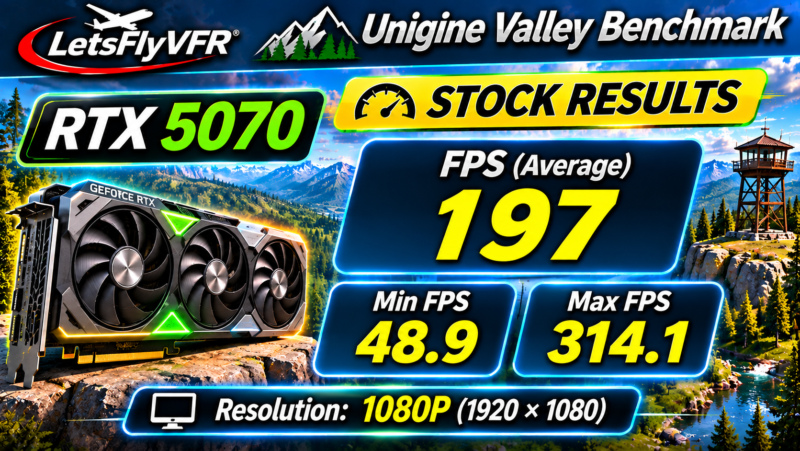
This is the performance we’re going to compare everything else against.
Test 2 – YouTuber – NVIDIA App Optimisation Guide.
Next, we look at YouTuber – NVIDIA App Optimisation Guide to optimise our settings.
Rather than manually adjusting everything ourselves, we’re using a popular YouTuber – NVIDIA App Optimisation Guide. These supposed amazing settings NVIDIA’s come recommended as the best on YouTube and followed by a lot of people on YouTube settings as our next comparison.
The results:
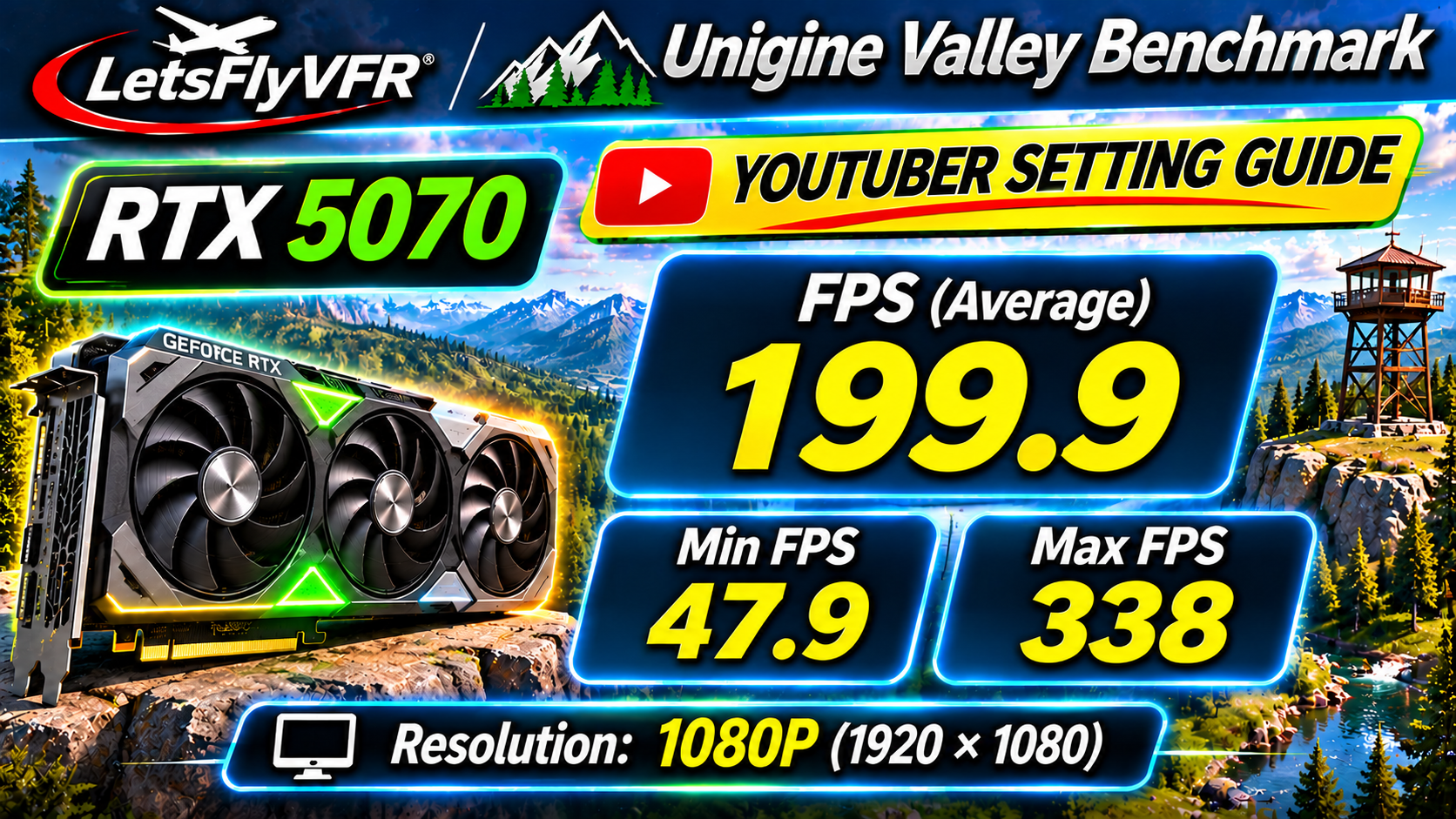
YOUTUBER SETTINGS RTX 5070 Valley Benchmark Guide (2)
A small improvement in average FPS, although the minimum FPS actually dropped slightly.
The maximum FPS increased, but does this translate into a meaningful improvement?
Let’s keep going.
Test 3 – MSI Afterburner Optimisation Curve
Next, we move to MSI Afterburner.
Here we’re using the optimisation curve rather than simply applying a conventional manual overclock.
The results:
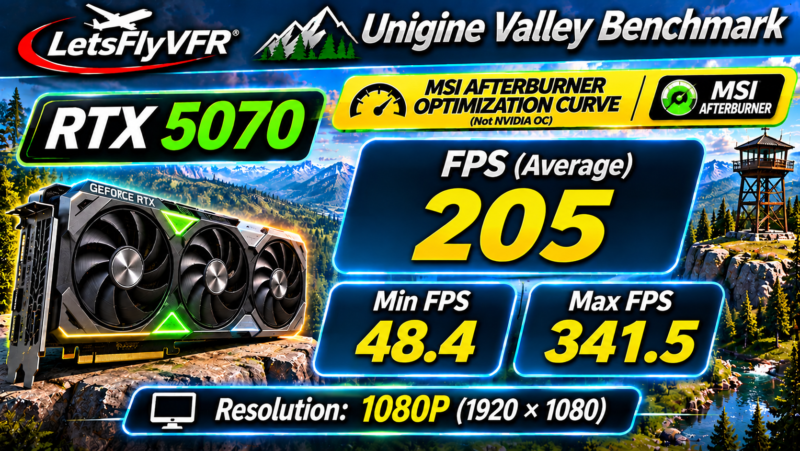
This is our best average result so far.
However, we’re still talking about a relatively small improvement over the stock baseline.
Once again, the results are interesting.
The average FPS is slightly better than stock, but hardly transformative.
It’s another example of why you shouldn’t automatically assume somebody else’s recommended settings will deliver dramatic improvements on your own system.
Test 4 – Our Own Manual Overclocking Attempt.
Finally, we decided to have a go ourselves.
For this test, we applied:
- Core Clock: +250 MHz
- Memory Clock: +1500 MHz
The objective was to see whether manually pushing the graphics card further would deliver a worthwhile improvement.
Our results:
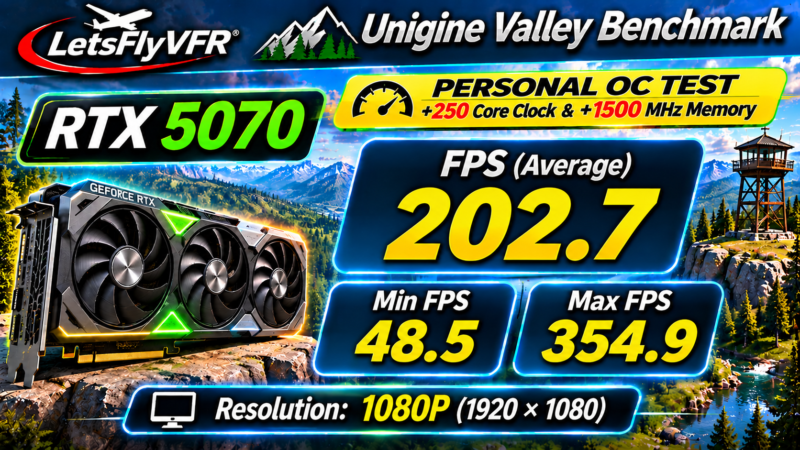
The maximum FPS is now considerably higher than our original stock result.
However, the average FPS is still remarkably similar.
And that’s where things become interesting.
5. The Overall Results – All Four Tests Compared
Now let’s put everything together.
This is the comparison that really matters.
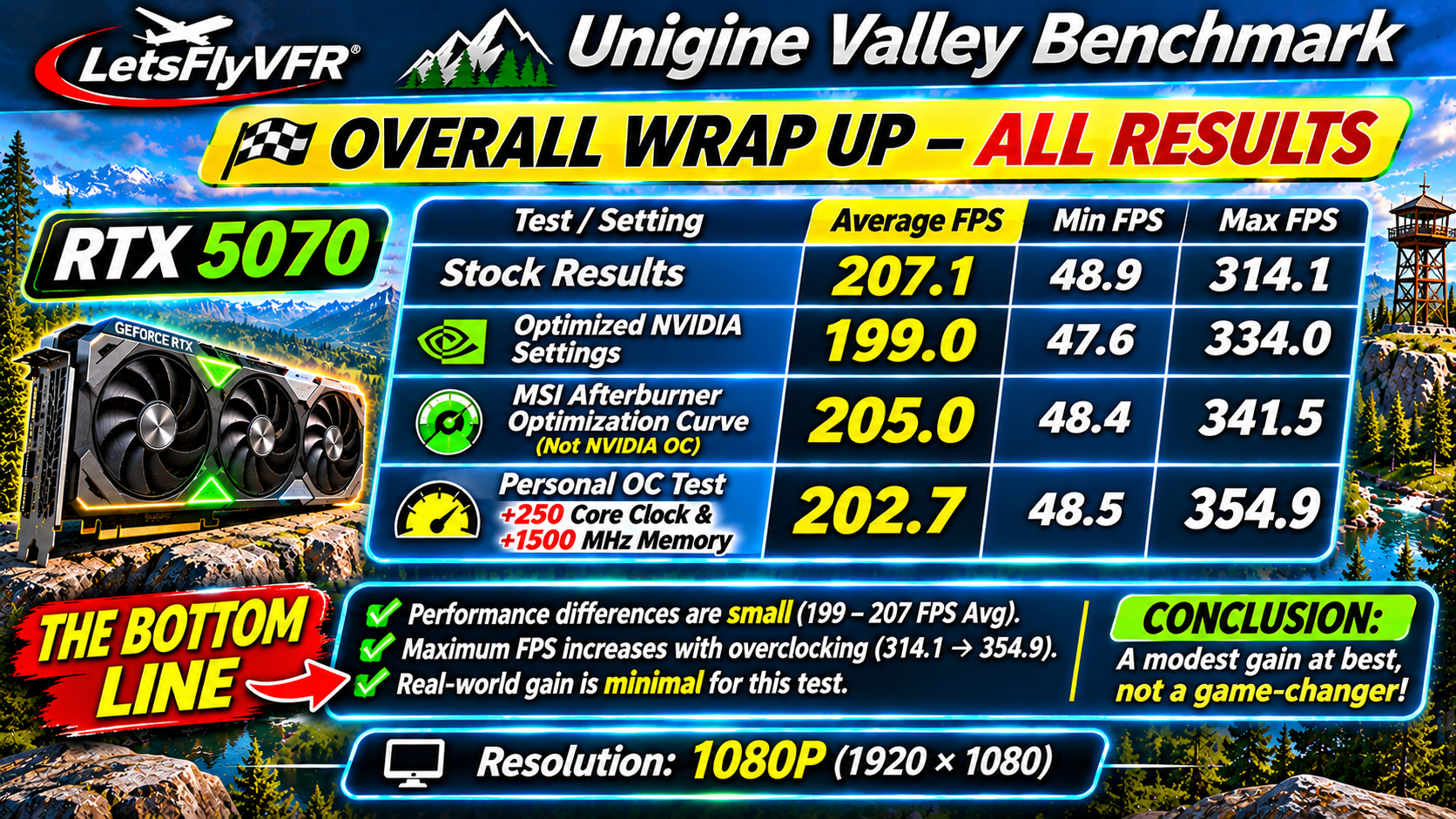
What do these numbers actually tell us?
Let’s look at the three important measurements.
Average FPS
Our stock result was 197 FPS.
Our best average result came from the MSI Afterburner optimisation curve at 205 FPS.
That’s an improvement of approximately 4.1%.
Our manual overclock achieved 202.7 FPS, approximately 2.9% above stock.
Not exactly the 30% performance improvement suggested by some YouTube titles!
Minimum FPS
This is particularly interesting.
Our minimum FPS results remained remarkably consistent, ranging from 47.6 to 48.9 FPS.
In other words, none of these adjustments produced a meaningful improvement in the minimum frame rate in this benchmark.
Maximum FPS
Here we did see a more noticeable difference.
Our stock maximum was 314.1 FPS, while our manual overclock reached 354.9 FPS.
That’s an increase of approximately 13%.
However, maximum FPS is not the same as sustained performance.
It doesn’t mean the graphics card is consistently delivering that improvement throughout the benchmark.
And this is precisely why looking at average and minimum performance is so important.
6. So, Is GPU Overclocking Worth the Effort?
Well, based on our testing, my answer is:
Not really!
At least, not if you’re expecting a dramatic improvement in your gaming experience.
We spent time experimenting with NVIDIA optimisation, MSI Afterburner, recommended YouTube settings and our own manual overclock.
What did we achieve?
Some improvement in benchmark numbers, particularly maximum FPS, but very little change in average or minimum performance.
Does that mean overclocking is completely pointless?
No.
If you enjoy experimenting with your hardware, want to learn more about your graphics card or simply enjoy getting every last bit of performance out of your PC, there’s nothing wrong with it.
And if you’re chasing a particular performance target, even a small improvement might be worthwhile.
But if you’re expecting to transform your gaming experience, I think you should keep your expectations realistic.
There’s also the additional consideration of power consumption, temperatures and system stability.
More performance isn’t necessarily free.
And remember, our benchmark results are specific to this RTX 5070 and Unigine Valley test. Other games, resolutions and GPU workloads may produce different results.
7. What About Virtual Reality and Flight Simulation?
For those of us interested in VR gaming and flight simulation, there’s another important consideration.
A benchmark showing a higher average FPS or Score doesn’t automatically mean you’ll have a noticeably better VR experience. In our results we saw the highest score did not increase FPS – It reduced it from the MSI Afterburner optimisation at 205 fps back to 202 FPS.
Virtual reality introduces additional demands, including frame timing, headset refresh rates and the need to maintain consistent performance.
In flight simulation, particularly with something like X-Plane 12, performance can also depend heavily on CPU limitations, scenery complexity, aircraft systems and other factors. You can optimise the CPU as well without overclocking and possibly get smoother performance but heading into overclocking is most likely going to be the same story. I suspect a similar result is very likely.
A graphics card overclock might help in a GPU-limited situation, but it won’t necessarily solve a CPU bottleneck or improve every aspect of the simulation.
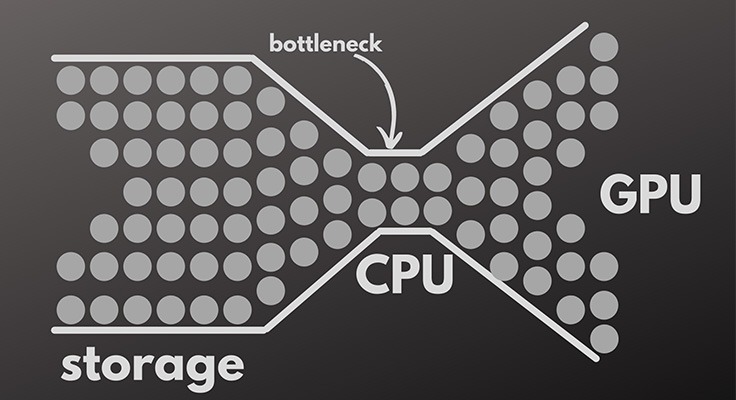
This is why we need to look beyond the benchmark numbers.
The real question isn’t simply how many additional frames we can achieve.
It’s whether those additional frames actually improve the experience.
And that’s something a benchmark score alone cannot tell us.
8. The Final Verdict – Don’t Chase Numbers & Don’t Believe YouTube!

So, what have we learned?
Overclocking can improve graphics card performance, but the results aren’t necessarily as impressive as some online videos might suggest.
Our RTX 5070 testing demonstrated that:
- NVIDIA optimisation produced only a small average FPS improvement.
- YouTuber recommended settings produced very modest gains.
- The MSI Afterburner curve delivered our best average result.
- Our manual overclock increased maximum FPS but didn’t produce a dramatic average improvement.
- Minimum FPS remained remarkably consistent across all five tests.
Would I recommend overclocking? If you enjoy experimenting, absolutely!
But if you’re expecting a magical performance boost, perhaps it’s time to reconsider.
Don’t spend hours chasing benchmark numbers just because somebody on YouTube tells you that you should.
Benchmark numbers even when they jump up 20 isn’t always a big FPS improvement.
Sometimes the best optimisation is simply knowing when to leave things alone!
Watch the Full Video – Beyond the Specs Series.
Want to see the testing for yourself?
Watch the full video where we put the NVIDIA RTX 5070 through its paces using Unigine Valley Benchmark.
You’ll see the different settings, the testing process, and the actual results.
[INSERT YOUTUBE VIDEO EMBED HERE]
More from LetsFlyVFR
At LetsFlyVFR, we’re interested in more than just specifications and marketing claims.
We look at PC hardware, virtual reality, flight simulation, performance optimisation and the things that genuinely make a difference to your experience.
Explore more:

Pimax VR Headsets
Interested in taking your VR experience further? Check out Pimax VR headsets using our additional 2% discount code VFR at checkout. The code can be used on eligible purchases and often works alongside other promotions.
LetsFlyVFR Etsy Store

Looking for something aviation-related? Visit our Etsy store for T-shirts, hoodies, mugs, posters and other aviation-inspired merchandise.
LetsFlyVFR.com
Explore our growing collection of flight simulation tutorials, aircraft guides, VR articles, hardware discussions and much more.
Beyond the Specs
We’re Looking Beyond the Specs — So You Don’t Have To!
Thanks for reading, and I’ll see you in the next one.
Brendon – LetsFlyVFR
Leave a Reply