
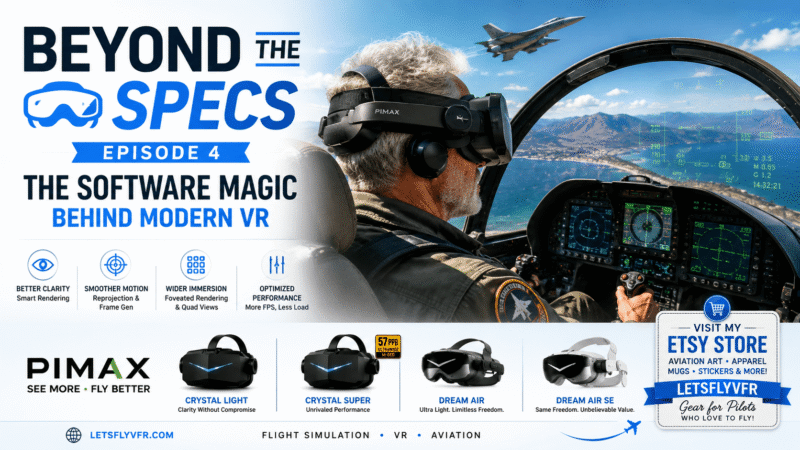
How Clever Software Makes Your PC Feel Twice as Fast.

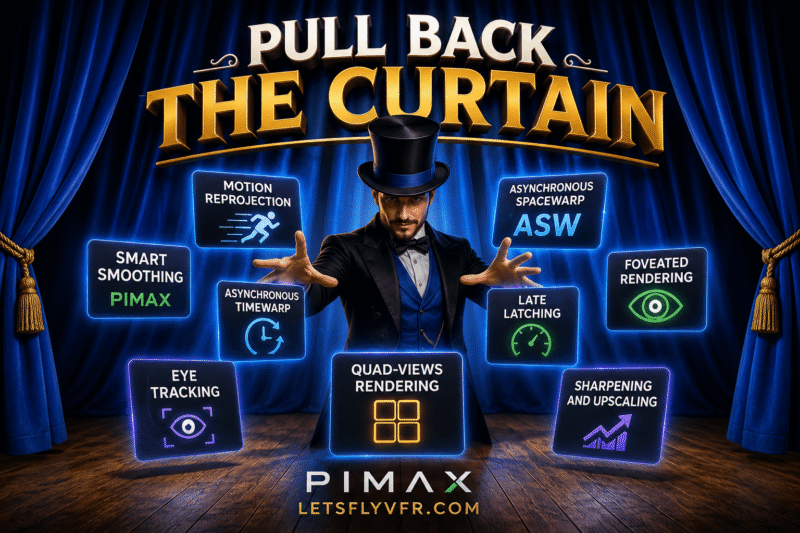
Introduction.
If you’ve been following this Beyond the Specs series, we’ve already explored why displays matter, why optics are often more important than resolution, and how modern VR headsets use increasingly sophisticated lenses to deliver incredible image quality.
Now it’s time to look behind the curtain.
Many VR users believe their experience is determined almost entirely by their graphics card. Buy a faster GPU and everything magically improves.
The truth is far more interesting.
Modern VR relies on an astonishing collection of software technologies that work together to hide latency, predict movement, render fewer pixels than you think, sharpen images, and even decide where your eyes are looking hundreds of times every second.
Without these technologies, today’s VR headsets simply wouldn’t exist in their current form.
This article explains the software that makes modern VR possible, what each technology actually does, which headsets support them, and most importantly whether they’re worth using.
Beyond the Specs Series:
- Beyond the Specs! A Flight Simmer’s Guide to Virtual Reality & Pimax VR.
- Beyond the Specs. The Optics Behind VR.
- Beyond the Specs – QLED vs Mini-LED vs Micro-OLED for Flight Simulation VR.
- Beyond the Specs – The Ultimate Pimax VR Buyer’s Guide (2026).
- Beyond the Specs – The Software Technology making VR Incredible! *******
- Beyond the Specs – Tracking Systems Explained – (Upcoming)
Why VR Is So Demanding.
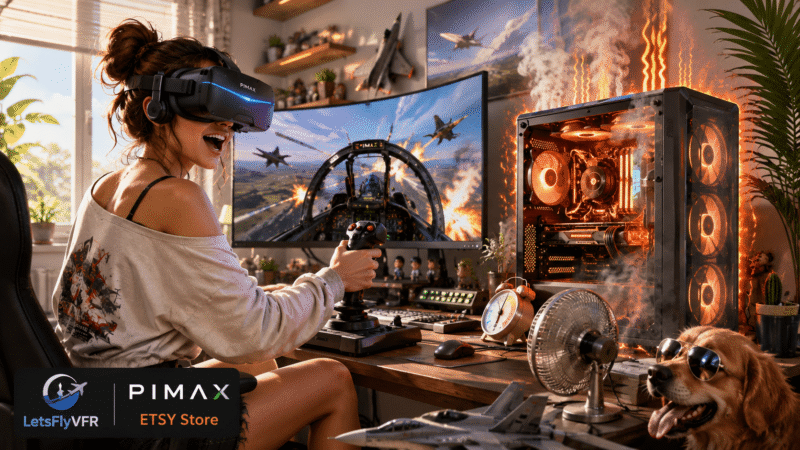
Unlike a conventional monitor, a VR headset must render two separate images, one for each eye. Those images must be generated at extremely high refresh rates while maintaining incredibly low latency.
For many enthusiasts, that’s 90, 120 or even higher frames per second at resolutions that often exceed 4K per eye. Every frame has to be generated, corrected for lens distortion, synchronized with head tracking and displayed within only a few milliseconds.
No consumer graphics card can maintain perfect performance in every game at every setting. Instead of simply throwing more hardware at the problem, VR developers created something far more elegant. They taught software to cheat.
Not by reducing the experience, but by making your computer do less work without you noticing.
Motion Reprojection – Creating Frames That Never Existed.
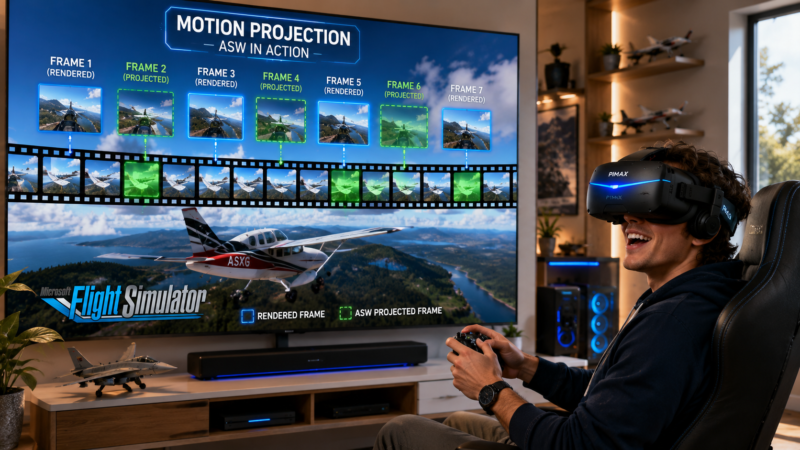
One of the oldest and still most important VR technologies is motion reprojection.
Different companies use different names:
- Meta calls it Asynchronous Spacewarp (ASW).
- SteamVR refers to Motion Smoothing.
- Windows Mixed Reality used Motion Reprojection.
- Pimax includes Smart Smoothing within Pimax Play.
Although the names differ, the goal is largely the same.
Imagine your headset is running at 90 Hz but your PC can only render 45 frames per second. Instead of showing each frame twice and producing obvious judder, the software analyses motion between frames and predicts what the missing frames should look like.
Those synthetic frames are inserted between the real ones, creating a much smoother experience. When it works well, the illusion is remarkably convincing.
The biggest advantage is improved smoothness on slower hardware or in demanding situations. The downside is that incorrect predictions can produce visual artifacts such as shimmering propellers, ghosting around aircraft or distortion during rapid movement.
For flight simulators and racing titles, however, motion reprojection remains one of the most valuable performance technologies available.
BUILD THE PERFECT COCKPIT… THEN DRESS THE PART!
Discover Premium Flight Simulator Apparel,
Wall Art, Pilot Gifts and Aviation Accessories
@ LetsFlyVFR ETSY Store.




Asynchronous Spacewarp (ASW)
Meta’s ASW deserves special mention because it helped define modern reprojection techniques.
The original implementation estimated motion between frames and generated synthetic images to maintain a comfortable experience when frame rates dropped. Later versions became significantly more sophisticated by using additional scene information, allowing much more accurate frame prediction.
Although artifacts can still occur during aggressive manoeuvres, ASW remains an excellent example of how software can compensate for hardware limitations.
Smart Smoothing – Pimax’s Approach.

Pimax implements its own version of frame generation through Smart Smoothing within the Pimax Play software. The principle is similar to ASW, but it has been tuned specifically for Pimax hardware and integrates with the headset’s rendering pipeline.
For users flying DCS, Microsoft Flight Simulator or X-Plane on hardware that occasionally struggles to maintain full refresh rates, Smart Smoothing can provide noticeably smoother gameplay while reducing the discomfort associated with sudden frame drops.
Like every reprojection system, it’s best viewed as a tool rather than something that should always remain enabled.
Timewarp and Late Latching.
Long before modern frame generation became commonplace, VR developers discovered another problem. Even after a frame had finished rendering, your head continued moving. If nothing changed, the displayed image would already be slightly out of date before it reached your eyes.
Asynchronous Timewarp solves this by rotating the completed image at the last possible moment using the latest head-tracking data. Closely related is Late Latching, where the headset updates tracking information immediately before presenting the frame.
Together these technologies dramatically reduce perceived latency and help maintain the feeling that the virtual world remains perfectly attached to your head movements.
Foveated Rendering – Rendering Only What Matters.
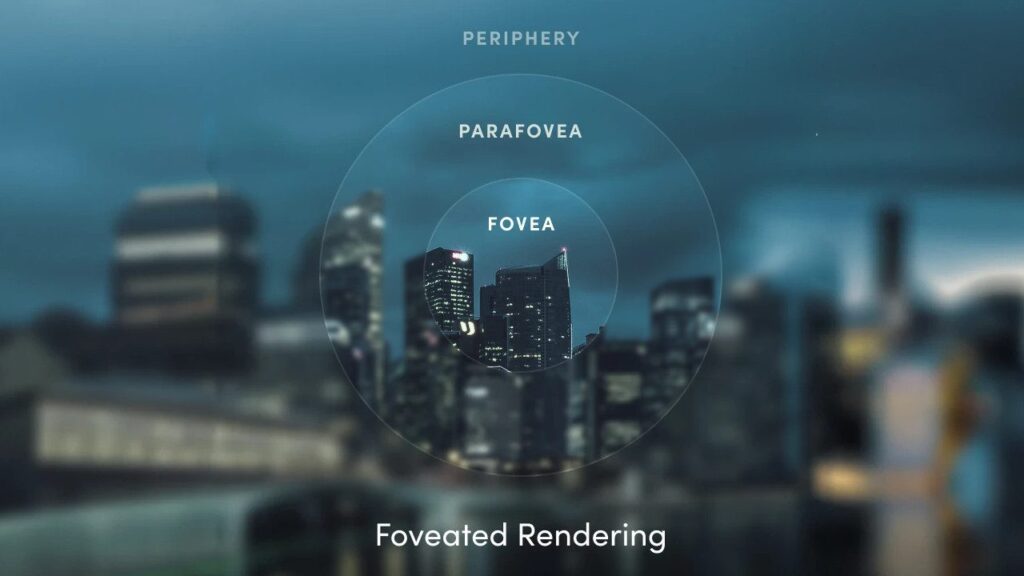
Perhaps the cleverest optimisation in modern VR is Foveated Rendering.
Human vision is surprisingly limited.
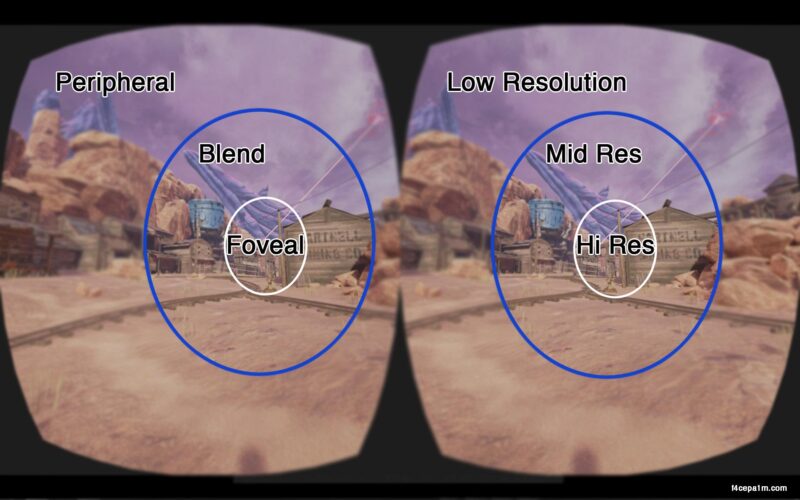
Only a tiny region in the centre of your gaze the fovea sees maximum detail. Peripheral vision is naturally much less sharp. VR software takes advantage of this by rendering only the centre of your vision at maximum quality while reducing detail toward the edges.
Because your brain already expects the edges to be less detailed, the performance gains can be enormous while remaining almost impossible to detect.
Fixed Foveated Rendering.
The simplest implementation is Fixed Foveated Rendering (FFR).
The highest resolution is permanently positioned in the centre of the display. Everything outside that area gradually reduces in quality. No eye tracking is required.
The technique is easy to implement and can significantly improve GPU performance, particularly on standalone headsets and some PC VR titles. Its only disadvantage is that if your eyes move without your head moving, you may notice the lower resolution around the edges.
GPU Work Comparison.
| Technology | GPU Work | Visual Quality |
|---|---|---|
| Normal VR | 100% | Excellent |
| Fixed Foveated Rendering | ~85–95% | Excellent in the centre |
| Dynamic Foveated Rendering | ~70–90% | Better than FFR because the sharp area follows your eyes |
| Quad Views | Often the largest reduction in supported apps | Excellent central clarity with lower peripheral cost |
*Actual savings depend heavily on the game, GPU, headset and implementation. Pimax has reported gains that can reach around 10–40% in supported scenarios, while community testing in DCS often shows substantial improvements.
Dynamic Foveated Rendering.
Dynamic Foveated Rendering takes the concept much further. Instead of assuming your eyes always look straight ahead, infrared cameras continuously monitor your gaze. The highest-resolution rendering region moves instantly with your eyes. Wherever you look becomes perfectly sharp.
Everything outside your focus receives fewer rendering resources. Done correctly, users rarely notice the transition while the GPU enjoys substantial workload reductions. This technology is becoming increasingly important for premium headsets equipped with integrated eye tracking.
Eye Tracking – More Than Just Looking Around.
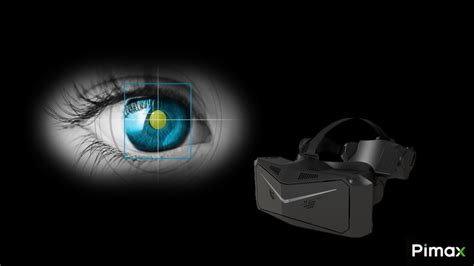
Eye tracking is often advertised as a gaming feature, but its real importance goes much deeper. Modern systems illuminate the eyes using invisible infrared light while specialised cameras monitor pupil position hundreds of times every second.
Software then calculates exactly where you’re looking. That information enables Dynamic Foveated Rendering, automatic IPD adjustment on supported headsets, more accurate distortion correction, improved user interfaces and even future accessibility features.
For flight simulation, eye tracking is rapidly becoming one of the most valuable additions to premium VR headsets.
Quad Views – A Favourite Among Flight Simmers.
If you’ve spent any time in the DCS community, you’ve probably heard the term Quad Views.
Traditional VR renders one image for each eye. Quad Views divides each eye into two rendering regions. A high-resolution centre is rendered where your eyes are looking, while the surrounding peripheral region is rendered separately at lower detail. Since there are two viewports per eye, the renderer now processes four views instead of two.
Hence the name Quad Views.
For compatible headsets equipped with eye tracking, this technique can dramatically reduce GPU workload while maintaining razor-sharp cockpit instruments. Among serious flight sim enthusiasts, Quad Views has become one of the most significant VR performance improvements in recent years.
OpenXR – The Foundation of Modern PC VR.

Most users never see OpenXR, yet nearly every modern PC VR experience depends on it.
OpenXR is an open industry standard that allows games and applications to communicate with different VR headsets through a common interface. Rather than every simulator supporting dozens of proprietary systems, OpenXR provides one modern API that works across many manufacturers.
Today it forms the backbone of most serious PC VR simulation.
SteamVR vs OpenXR.
SteamVR remains one of the most widely used VR ecosystems and provides excellent compatibility across hundreds of titles.
However, many modern simulators now support OpenXR directly. Running native OpenXR often reduces overhead, improves performance and simplifies the rendering pipeline. SteamVR is still an excellent choice for older titles or games that require its ecosystem, but OpenXR has become the preferred path for many dedicated simulation enthusiasts.
OpenComposite.
Some older VR games still rely on OpenVR.
OpenComposite allows many of these applications to bypass SteamVR and communicate directly with OpenXR instead. For supported titles, this can reduce software overhead and provide measurable performance improvements without changing the game itself.
OpenXR Toolkit – A Legend That Lives On.
For several years, OpenXR Toolkit became almost essential software for PC VR enthusiasts.
It introduced features such as sharpening filters, upscaling, colour adjustments, scaling controls and numerous performance tweaks that transformed how many users configured their headsets. Although the toolkit is no longer under active development, it remains extremely useful on compatible systems and continues to be recommended by many experienced users.
New users should simply understand that future compatibility may become more limited as runtimes evolve. You can try it by downloading from Github Link Here!
Quad Views Companion.
Quad Views Companion simplifies configuration of Quad Views for compatible applications.
Rather than manually editing configuration files, users can manage profiles, optimise settings and experiment with different rendering options through a much friendlier interface. For many DCS users it has become an essential companion utility.
Take your cockpit to the next level with Pimax VR. From the exceptional value of the Crystal Light to the flagship Crystal Super and the revolutionary Dream Air, there’s a headset designed for every serious flight simmer.
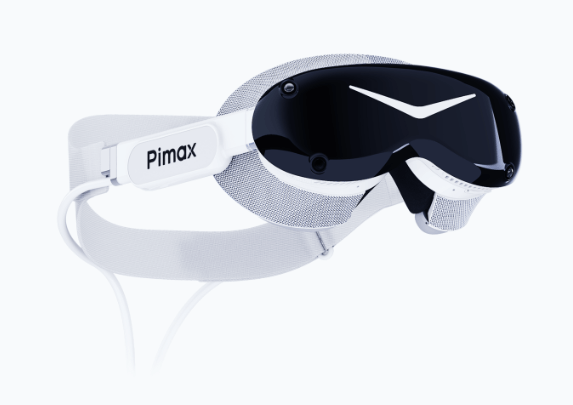
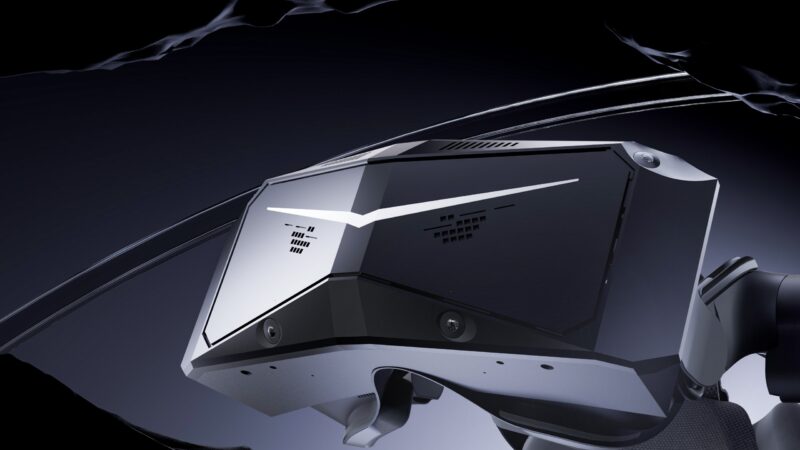
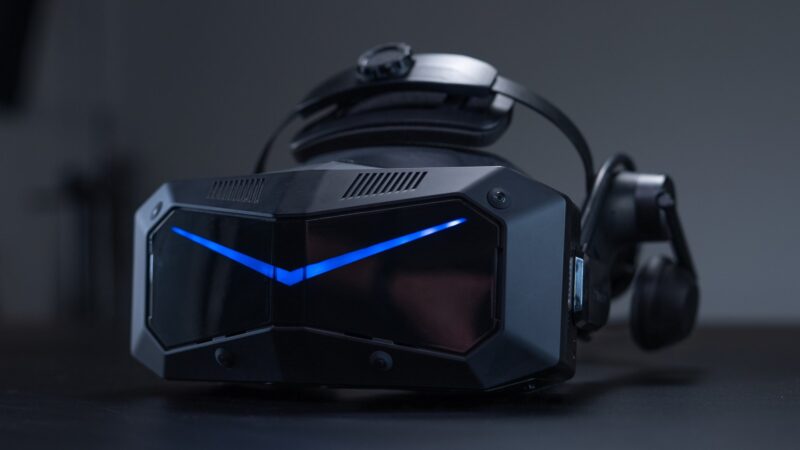
Shop through our links below to unlock exclusive discounts and start flying in unparalleled clarity.
VectorXR – The Next Generation of OpenXR Enhancement.
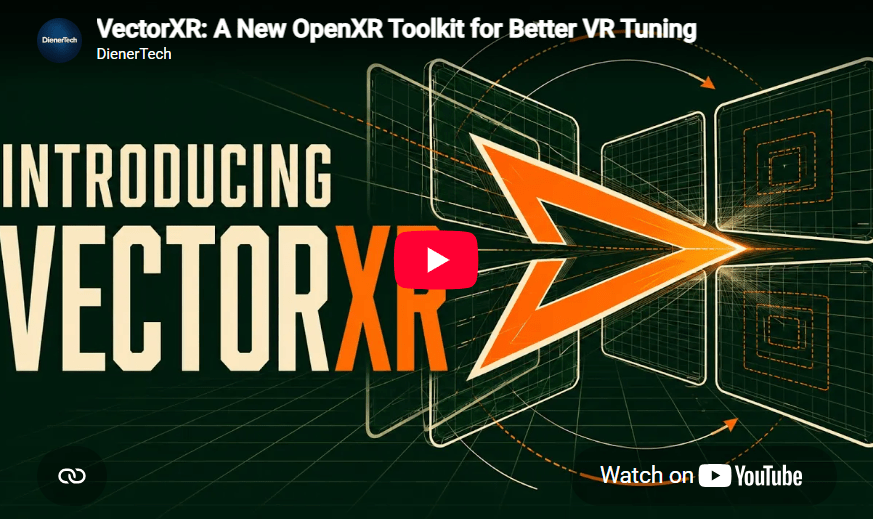
One of the newest and most exciting projects in the VR community is VectorXR.
Currently available as a public beta, VectorXR is an open-source OpenXR enhancement suite designed with modern simulation enthusiasts in mind. Rather than trying to replace every previous utility, it introduces a modular approach that allows users to enable only the features they need.
Its integrated Quad Views implementation is one of the headline features, but the software offers much more than performance optimisation. VectorXR introduces Pivot, which allows larger virtual viewing angles with smaller physical head movements. This can make checking six during air combat more comfortable and reduce neck strain during long flying sessions.
Another interesting feature is Depth, allowing users to fine-tune stereo depth and convergence for greater comfort and immersion. The software also includes an OpenXR Layer Manager, making it easier to organise and troubleshoot multiple OpenXR layers that might otherwise conflict with one another.
Per-game profiles, HOTAS button integration, profile import and export, and active development make VectorXR one of the most promising new tools available for advanced VR users. Although still in beta, it is definitely worth watching—particularly for DCS pilots and owners of eye-tracked headsets, including many premium Pimax models.
Download direct from the VectorVR Website HERE!
Pimax Play.
For Pimax owners, Pimax Play acts as the central management software for the headset.
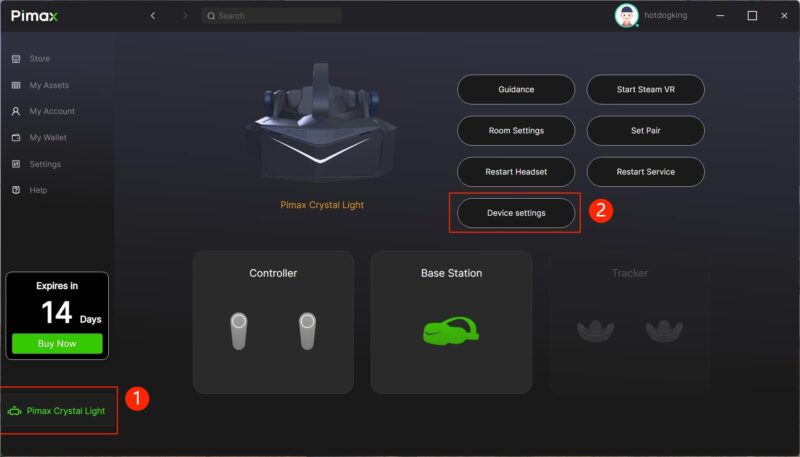
Beyond firmware updates and device configuration, it provides render quality controls, refresh-rate selection, Smart Smoothing, eye-tracking configuration where supported and integration with both SteamVR and OpenXR.
While often overlooked, the software itself plays a significant role in achieving the best possible experience from modern Pimax hardware. Download Here!
AI Upscaling Technologies.
VR also benefits from the same AI upscaling technologies used in conventional gaming.
NVIDIA DLSS, AMD FSR and Intel XeSS all attempt to render games internally at lower resolutions before intelligently reconstructing a sharper final image. When implemented well, these technologies can produce significant performance improvements while maintaining excellent visual quality.
Not every VR title supports them, but their adoption continues to increase.
Read about Nvidia DLSS Here! Read about AMD FSR Here!
Dynamic Resolution Scaling.
Another useful optimisation is Dynamic Resolution Scaling.
Instead of maintaining one fixed resolution, the game continuously adjusts rendering quality based on GPU workload. If performance begins to drop, resolution decreases slightly to maintain smooth gameplay.
Once the workload reduces, full resolution returns automatically. The result is a much more consistent frame rate with minimal visual impact.
Which Technologies Matter Most?
Every system is different, but some technologies consistently provide greater benefits than others.
Dynamic Foveated Rendering and Quad Views can deliver dramatic performance improvements on eye-tracked headsets. Motion reprojection technologies such as Smart Smoothing and ASW help maintain smooth gameplay when frame rates dip below the headset’s refresh rate. OpenXR reduces software overhead, while utilities such as Quad Views Companion and VectorXR simplify optimisation and introduce entirely new capabilities.
No single tool is the answer.
The best VR experience comes from understanding how these technologies complement one another.
Which Pimax Headsets Support Which Technologies?
Heres a useful guide to what Pimax offers with their high quality VR offerings such as the Crystal Super – Crystal Light & Dream Air units.
| Pimax Headset | Eye Tracking | FFR | DFR | Quad Views | Smart Smoothing |
|---|---|---|---|---|---|
| Crystal Light | ❌ | ✅ | ❌ | Limited (no eye-tracked DFR; software support depends on title/runtime) | ✅ |
| Crystal (Original) | ✅ | ✅ | ✅ | ✅ | ✅ |
| Crystal Super | ✅ | ✅ | ✅ | ✅ | ✅ |
| Dream Air | ✅ | ✅ | ✅ | ✅ | ✅ |
Final Thoughts.
The most impressive part of modern VR isn’t just the displays, the lenses or even the graphics cards. It’s the extraordinary amount of intelligent software working behind the scenes.
Every head movement, every glance of your eyes, every synthetic frame and every optimisation algorithm contributes to the illusion that you’re sitting inside a cockpit rather than staring at two tiny screens a few centimetres from your face.
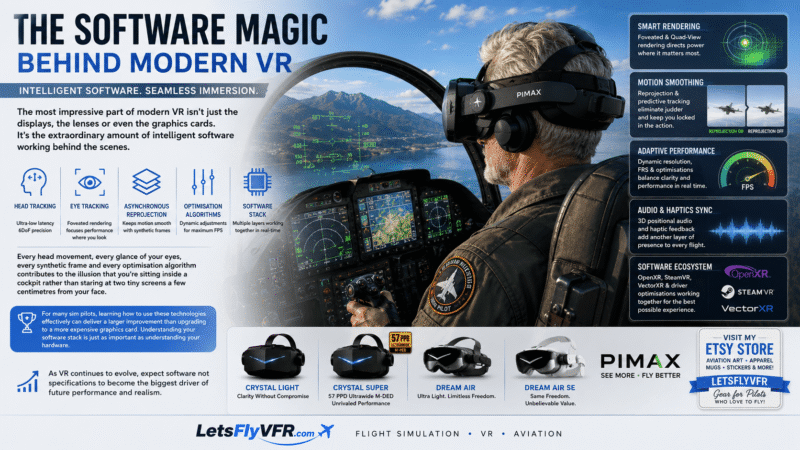
For many sim pilots, learning how to use these technologies effectively can deliver a larger improvement than upgrading to a more expensive graphics card. Understanding your software stack is just as important as understanding your hardware.
As VR continues to evolve, expect software not specifications to become the biggest driver of future performance and realism.
Coming Next…
Beyond the Specs – Episode 5
Tracking Systems Explained
Inside-Out Tracking, Lighthouse Base Stations, SLAM, Controller Tracking, Hand Tracking, Body Tracking and why tracking technology is just as important as displays and optics when choosing your next VR headset.
Author

Brendon McAliece (Aka Gunnie) is a military veteran with 23 years working on Jet Fighters, their weapons systems and ejection seat/module systems as well as munitions and R&D. Involved with flight simulation since the 1980s, he has flown all the major flight simulators over the years.
He is an Australian expat who has lived in Malaysia, UK, Saudi Arabia and more recently Thailand. He is a multi-lingual blogger who loves to share his life experiences here on LetsFlyVFR.com and DreamingGuitar.com, with his lifestyle and Travel experiences Blog plus his Dreaming Coffee website.
Learn More @
DreamingGuitar.com – DreamingCoffee.com
LetsFlyVFR ETSY Store – Discover PIMAX VR Now!