
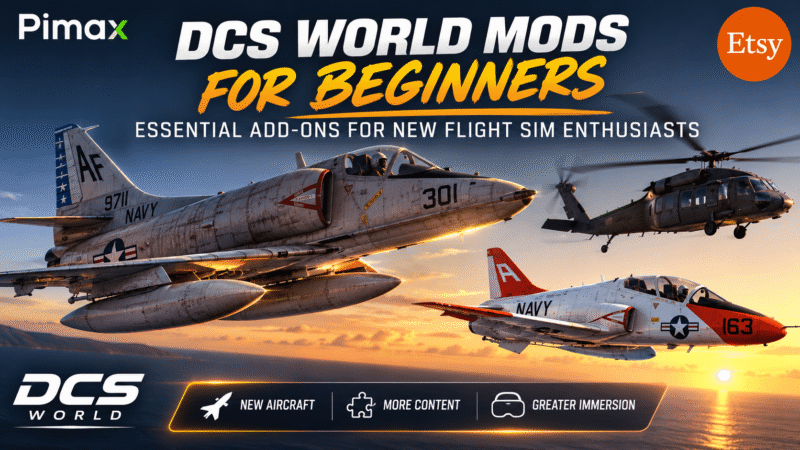

DCS World Mods for Beginners: Essential Add-ons for New Flight Sim Enthusiasts.
If you are new to DCS World, you may have already discovered that the simulator can be expanded far beyond what comes in the standard installation. This is where mods come in.
In DCS World, a mod is a user-created addition that can introduce new aircraft, weapons, missions, campaigns, cockpit improvements, scenery, sounds, utilities, or other features. Some mods are surprisingly sophisticated and can add an entirely new dimension to the simulator without requiring you to purchase another module.
Why Use Mods in DCS World?
One of the biggest advantages of mods is that they allow you to customise DCS World around the type of flying you enjoy.
For example, a beginner might use a mod to add a new aircraft to fly, while a more experienced simmer might install a utility that improves mission planning, adds new functionality to the cockpit, or makes multiplayer flying more convenient.
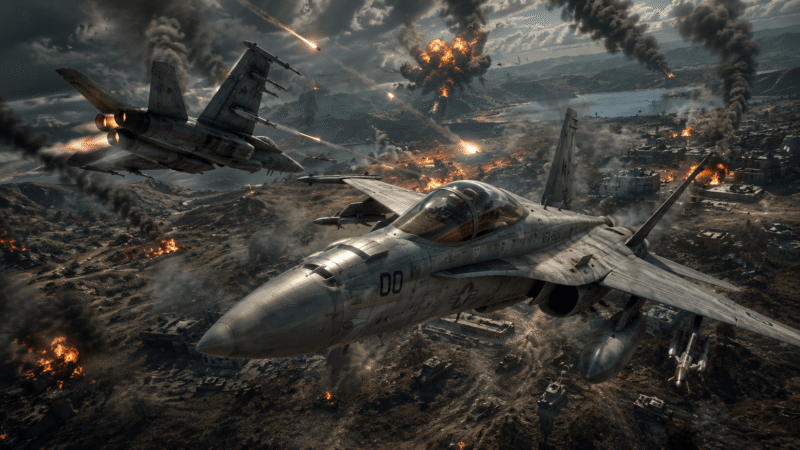
Mods can also be a great way to experiment before spending money on another DCS module. Some community-created aircraft and systems can give you an idea of what a particular style of flying is like before deciding whether you want to invest in an official module.
There are also mods designed specifically to improve the overall DCS experience. These can include improved sounds, graphical enhancements, custom missions, liveries, kneeboards and other quality-of-life additions.
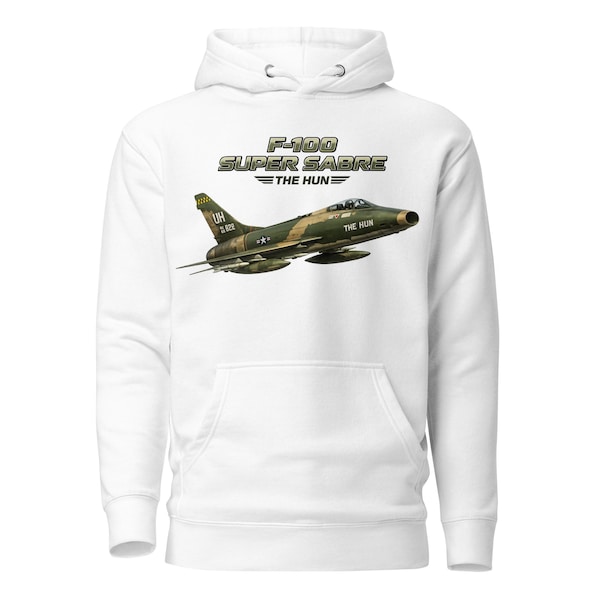
LetsFlyVFR – ETSY Store.
More than 170 Items to choose from and Growing!
Blue Team:
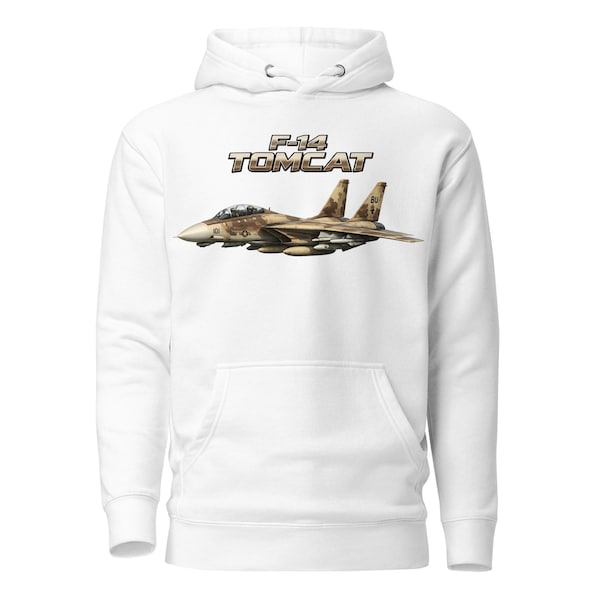
Red Team:
What Types of DCS Mods Are Available?
There is a surprisingly large variety of DCS World mods available, but they can generally be divided into a few categories:
- Aircraft Mods – Add new aircraft or variants that are not included in the standard DCS installation.
- Weapons and Equipment Mods – Introduce additional weapons, stores or equipment.
- Mission and Campaign Mods – Add new missions, scenarios and campaigns to fly.
- Graphics and Sound Mods – Improve visual effects, cockpit appearance, sounds and other immersive details.
- Liveries and Skins – Change the appearance of aircraft and allow you to fly with different national markings or fictional schemes.
- Utility and Quality-of-Life Mods – Add useful tools and features that can make flying and managing DCS easier.
- Kneeboards and Reference Tools – Provide checklists, performance information, navigation data and other useful information while flying.
For beginners, I recommend starting with simple, low-risk Aircraft mods such as the F-4C & T-45 Goshawk as well as kneeboards, missions and quality-of-life utilities before installing major aircraft or system modifications.
Stand Alone & Non Stand Alone Mods.
DCS supports a very strong modding community creating fighters, transports, helicopters as well as skins and missions for FREE! Note that Stand alone Aircraft do not require a donor aircraft to work like the F-22 Raptor from Grinnell Designs which requires the FC3 F-15C to work.
(It seems Grinnell are focused on the F-100 and the F-22 does not show on the site ATM.
Link above from GitHub.
The T-45 & A-4C are stand alone and simply need to be downloaded and placed in your SACED GAMES _ DCS_ MODS _ Aircraft folder to work.
Note: Mods can stop you playing in Multiplayer in some cases.
It is also worth remembering that not every mod is maintained indefinitely. A DCS World update can sometimes break a previously working mod, so always check that a mod is compatible with your current version of DCS before installing it.
The good news is that you don’t need to become a DCS World expert to start experimenting with mods. With a little care, they can be an excellent way to expand your simulator, discover new aircraft and missions, and make your flying experience much more personal.
The Essential DCS World Mods for Beginners
There are hundreds of DCS World mods available, but you certainly do not need to install dozens of them. In fact, when you are just starting out, installing too many mods can make troubleshooting much harder.
A better approach is to start with a small selection that genuinely improves the experience.
1. The A-4E-C Skyhawk – The Must-Try Free Aircraft
The A-4E-C Skyhawk is one of the best-known community aircraft for DCS World and an excellent choice for beginners who want to try something completely different without buying another module.
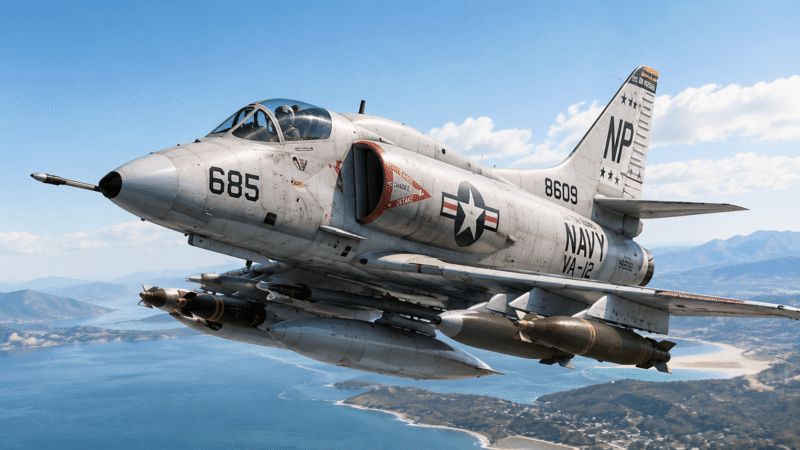
It is a highly developed community project rather than a simple demonstration aircraft, with features including carrier operations, air-to-air refuelling, weapons employment, radar functionality and a detailed flight model. The project also includes documentation and kneeboard material to help new pilots learn the aircraft.
For a new DCS pilot, this is a great example of just how much the community can add to the simulator.
Where to get it:
The safest approach is to use the official Community A-4E-C project page and release downloads, rather than downloading an old copy from a third-party website.
2. Custom Missions and Mission Generators
Once you have mastered the basics of take-offs, landings and simple weapons employment, you will probably want more things to actually do.
This is where mission-generation tools such as BriefingRoom can become extremely useful. BriefingRoom can generate complete single-player or multiplayer missions in just a few clicks, allowing you to select objectives, aircraft, opposition and other mission parameters without having to learn the DCS Mission Editor first.
For beginners, that can make DCS feel much less like a simulator you are endlessly setting up and much more like a game you can simply sit down and fly.
Where to get it:
Use the current BriefingRoom project page or its official GitHub releases. The project documentation currently directs users to GitHub for the latest builds.
3. Community Missions and Campaigns
You do not necessarily need a technical mod to improve DCS.
Some of the best additions are simply community-created missions and campaigns. These can give you realistic training flights, combat scenarios, carrier operations, air-to-air engagements and large-scale missions without requiring you to build everything yourself.
For a beginner, this is arguably one of the best places to start because it adds content without changing your core DCS installation.
Look for missions designed specifically for the aircraft and maps you already own, and always check the required modules before downloading.
4. Aircraft Liveries and Skins
Liveries are perhaps the easiest DCS modification to install and are an excellent starting point for a newcomer.
They do not generally change how your aircraft flies. Instead, they give you new paint schemes, squadron markings and fictional or historical appearances.
This is a great way to personalise your aircraft without introducing complicated changes to the simulator. Using the Saved Games folder for liveries is also the recommended approach because it keeps them separate from the main DCS installation.
You can find liveries through the DCS community and the DCS User Files ecosystem.
5. Kneeboards and Pilot Reference Tools
A surprisingly useful category for new pilots is the humble kneeboard.
A good custom kneeboard can put checklists, radio frequencies, aircraft limitations, weapons information, navigation data and emergency procedures directly in front of you while you fly.
For beginners, this can be much more useful than another graphical enhancement. Instead of trying to memorise everything immediately, you can keep the information you need close at hand while gradually learning the aircraft.
6. ATC and AWACS Utilities
As you become more comfortable with DCS, you may also want to make the world around your aircraft feel more alive.
Projects such as OverlordBot have provided community-developed AWACS and ATC functionality for DCS, including voice-controlled interactions and navigational assistance. However, this is a more advanced category than the simple mods above, and its current support status should be checked before installation.
For a complete beginner, I would put this firmly in the “try it later” category rather than making it one of the first things you install.

Experience Flight Simulation Like Never Before!
Choose Your Pimax Crystal Light, Crystal Super or Dream Air Today and Enjoy an Exclusive 2% LetsFlyVFR Discount*
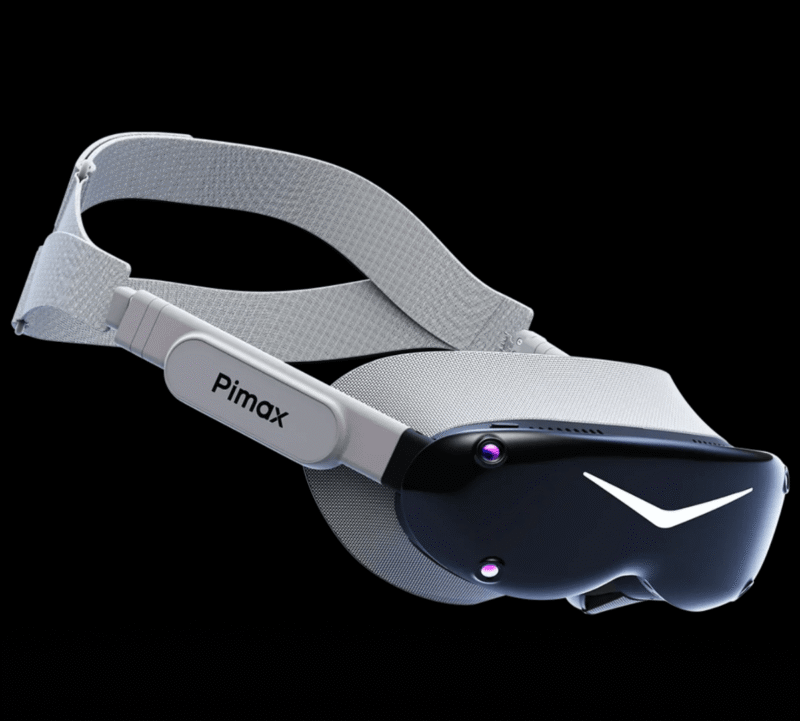
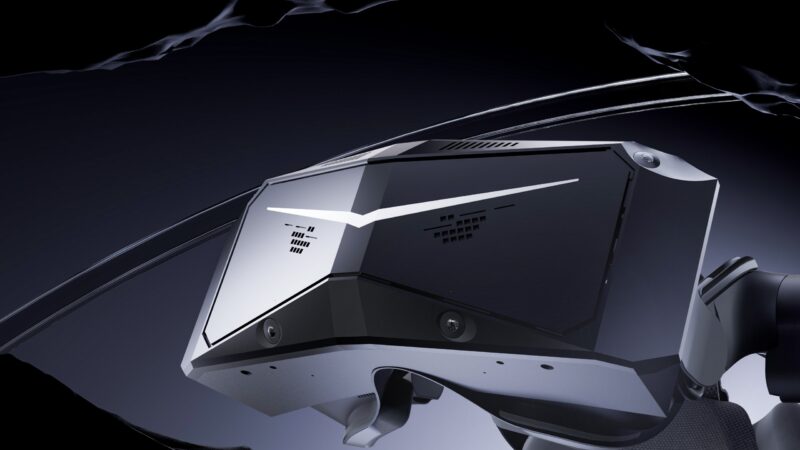
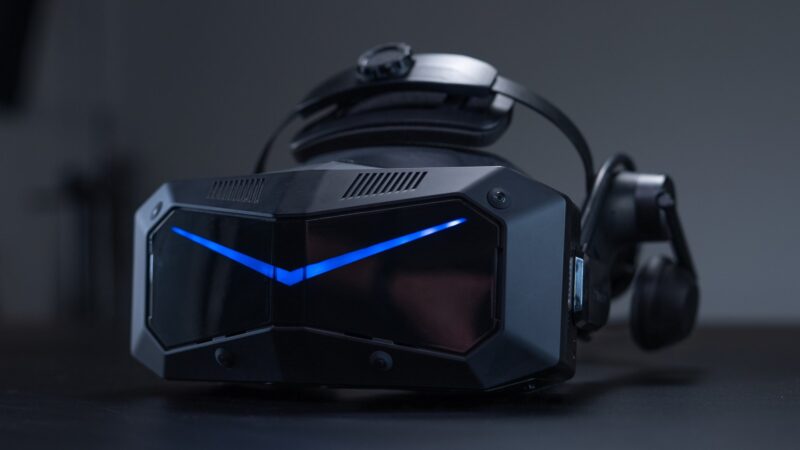
*Discount applies to eligible Pimax headsets. Dream Air SE excluded.
Where Should You Download DCS Mods?
The most important rule is simple:
Download mods from the developer or established DCS community sources whenever possible.
Avoid downloading random modified files from unfamiliar websites just because they appear in a search result. A mod that has been abandoned for several years may no longer work correctly with the current version of DCS World.
The Eagle Dynamics DCS Forums are a useful starting point for finding established community projects, while many larger projects now maintain their own GitHub repositories or dedicated websites.
How Do You Install a DCS Mod?
The exact procedure depends on the mod, so always read the author’s installation instructions first.
Many aircraft mods use a structure similar to:
Saved Games\DCS\Mods\aircraft\
For example, the current A-4E-C documentation specifically instructs users to place its Mods\aircraft\A-4E-C folder inside the DCS Saved Games directory and warns against installing it directly into the main DCS World installation.
Liveries are commonly placed in:
Saved Games\DCS\Liveries\
with the appropriate aircraft folder beneath it.
The important thing to remember is that there is no single installation method for every DCS mod. Some are simply copied into the Saved Games folder, some use installers, and others are external applications rather than traditional DCS mods.
My Recommendation for Your First Mods
Don’t install twenty mods on your first evening.
Start with one aircraft mod, a few missions, a useful kneeboard and perhaps a couple of liveries. Fly with them for a while and make sure everything works correctly before adding anything else.
That approach makes it much easier to identify what has caused a problem after a DCS update — and it keeps your DCS installation clean and manageable.
Most importantly, remember that mods are there to enhance your flying, not become another hobby you have to manage. Get the simulator working the way you enjoy it, then add new things gradually.
How to Safely Install DCS World Mods
Installing a DCS World mod is usually straightforward, but there is one golden rule for beginners:
Important: Do not modify your main DCS World installation unless the mod’s developer specifically tells you to.
Whenever possible, install community content through your Saved Games\DCS folder. This keeps user-created content separate from the core simulator and makes it much easier to remove or troubleshoot later. Eagle Dynamics community guidance specifically recommends this approach for many mods and liveries.
Step 1 – Check the Mod Before Downloading
Before installing anything, read the mod’s download page and installation instructions.
Check three things:
Is it compatible with your current version of DCS World?
DCS is regularly updated, and an older mod can stop working after an update.
Does it support the version of DCS you are running?
Also check whether you are using the current standalone DCS installation or another installation such as Steam.
Does it have any multiplayer restrictions?
Some mods can cause Integrity Check problems on multiplayer servers. This is one reason it is useful to keep your mod collection organised and easy to disable.
Step 2 – Back Up Before You Start
For most simple mods installed into Saved Games, you do not need to make a complete backup of DCS World.
However, it is still sensible to protect anything you have customised.
Your Saved Games\DCS folder can contain missions, liveries, configuration files, control bindings, kneeboards and other personal content. Making a backup of this folder before experimenting with mods gives you an easy way back if something goes wrong.
For anything that requires changing files inside the actual DCS installation directory, make a backup of the original files first. Eagle Dynamics documentation also recommends keeping backups when modifying original simulator files because updates can overwrite those changes.
Step 3 – Find Your DCS Saved Games Folder
For many users, the folder will be located here:
C:\Users\YOUR NAME\Saved Games\DCS
Some installations may use a different DCS folder name, so check which Saved Games folder your installation actually uses.
This is not normally the same location as the main DCS installation, which might be somewhere under:
C:\Program Files\Eagle Dynamics\
or, for a Steam installation:
C:\Program Files (x86)\Steam\steamapps\common\DCSWorld
The important distinction is between your user Saved Games folder and the main DCS program folder.
Step 4 – Check the Mod’s Folder Structure
This is where many first-time mod installations go wrong.
Suppose you download a mod called ExampleAircraft.zip.
After extracting it, you might see:
ExampleAircraft
Inside that folder should be the actual contents of the mod.
For a typical aircraft mod, the structure may look something like:
Saved Games\DCS\Mods\aircraft\ExampleAircraft
The exact structure varies between mods, so follow the developer’s instructions rather than blindly copying folders.
A common mistake is accidentally creating:
Saved Games\DCS\Mods\aircraft\ExampleAircraft\ExampleAircraft
when the mod actually needs the first ExampleAircraft folder to be placed directly inside aircraft.
The DCS community specifically highlights checking the extracted ZIP structure when installing aircraft mods.
Step 5 – Install the Mod
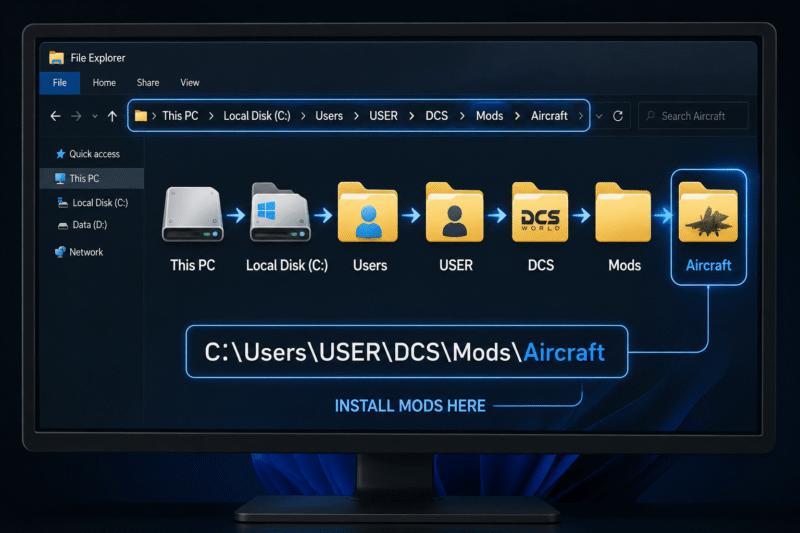
Once you know the correct location, extract the mod and place the required folder into the appropriate Saved Games directory.
For example, a community aircraft may use:
Saved Games\DCS\Mods\aircraft\
while other content may use different folders.
Liveries are commonly installed under:
Saved Games\DCS\Liveries\
with the appropriate aircraft folder underneath it.
Missions can also be placed in the Saved Games mission folders so that they appear in the DCS mission menus.
Step 6 – Start DCS and Test It
Don’t install five mods and then start DCS.
Install one mod at a time.
Start DCS, check that the simulator loads correctly and then test the new content.
For an aircraft mod, check that the aircraft appears in the appropriate section of the Mission Editor and that you can actually load into a mission.
For a livery, load the aircraft and check the available paint schemes.
For a mission, check that it appears in the appropriate mission menu.
This simple approach makes troubleshooting dramatically easier.
Common DCS Mod Installation Problems!
The Mod Doesn’t Appear
The first thing to check is the folder structure.
Open the mod folder and make sure you haven’t accidentally created an extra folder level.
For example:
Correct:
Saved Games\DCS\Mods\aircraft\F22A
Potentially incorrect:
Saved Games\DCS\Mods\aircraft\F22A\F22A
Also check that you have placed the mod in the correct DCS Saved Games folder.
DCS Crashes After Installing the Mod
Remove the newly installed mod and start DCS again.
If the simulator works normally, the mod is a likely culprit.
This is one reason to install modifications one at a time. Community moderators also note that multiple mods can conflict with one another, while updates can make previously compatible mods incompatible.
The Mod Worked Yesterday but Doesn’t Work After a DCS Update
This is extremely common.
A DCS update can change the simulator in ways that break older community modifications.
Check the mod’s download page or support thread for an updated version before assuming you have installed it incorrectly.
Do not immediately reinstall the same old version.
Multiplayer Doesn’t Work
Some modifications can interfere with DCS’s Integrity Check, which is used by multiplayer servers to prevent unauthorised changes.
If you cannot join a multiplayer server after installing a mod, temporarily remove or disable the mod and try again. Mods installed into core DCS files can be particularly problematic and may need to be removed after updates.
DCS Is Still Broken After Removing the Mod
If the mod was installed into the Saved Games folder, removing its files will often be enough.
If the modification changed files in the main DCS installation, however, you may need to use the DCS repair function or restore the original files from your backup.
This is exactly why beginners should avoid modifying the core DCS installation unless there is a specific reason to do so.
Get Amazing Merch at LetsFlyVFR – ETSY Store.

Aircraft from WWII to Present and Humorous Gifts for Friends & Pilots!
Hoodies – T Shirts – Mugs – Posters – All available Now!
Get Yours Now!
The Safest Way to Build Your DCS Mod Collection.
For beginners, I recommend a very simple approach:
One mod at a time.
Install it.
Test it.
Fly with it.
Then install the next one.
Keep a small text file listing the mods you have installed and where they came from. It takes almost no effort and can save a lot of frustration six months later when you are trying to remember which modification caused a problem.
Most importantly, keep your Saved Games\DCS folder as the home for your personal DCS content whenever the mod supports it.
That way, your community additions remain separate from the main simulator installation, making them much easier to remove, back up and troubleshoot.
And perhaps the best beginner tip of all:
Don’t install a mod simply because you can. Install it because it makes your flying better.
Where to Find DCS World Mods and Get Help
One of the best things about DCS World is the size of its community. There are thousands of players creating aircraft, missions, liveries, utilities and other additions, and there is a good chance that somebody has already solved the problem you are trying to solve.
For beginners, learning where to look for reliable information is just as important as learning how to install a mod.
The Eagle Dynamics Forums
The official Eagle Dynamics forums should be one of your first stops when looking for DCS World mods.
The DCS Modding section is divided into several useful categories, including How To Mod, Liveries/Skinning, Flyable/Drivable Mods, Texture/Map Mods, Utility/Program Mods, Static/AI Mods and 3D Modelling. This makes it much easier to find the type of modification you are looking for.
The forums are particularly useful because you can normally find the original developer’s thread, installation instructions, compatibility information and reports from other users in the same place.
They are also an excellent source of troubleshooting information. Before posting a question, search the mod’s discussion thread first. There is a good chance another DCS pilot has already experienced the same problem.
DCS Modding Hub
For people who want to go beyond simply downloading mods, the DCS Modding Hub Discord is another useful community.
The Hub is aimed at both mod creators and enthusiasts and covers everything from aircraft and 3D modelling to liveries and technical development. It also provides a place for people at different experience levels to share information and get help.
You certainly don’t need to become a mod developer to benefit from communities like this. Even as a new player, you can learn a great deal simply by following discussions and seeing how experienced users diagnose problems.
DCS Mod Directories
Another useful option is a mod directory, particularly when you are trying to discover aircraft or other projects you may not have heard about.
For example, Spino’s Simulations maintains a directory that links to a range of DCS mods and sends users to the original locations where the mods are hosted rather than redistributing the files itself.
This can be particularly useful for beginners because it gives you somewhere to start browsing without having to search the entire internet for individual projects.
However, always follow the link through to the original developer or project page before downloading anything. That gives you the best chance of getting the current version and the correct installation instructions.
Discord and Squadron Communities
DCS players also make extensive use of Discord.
Many aircraft developers, mod creators and DCS squadrons have their own Discord servers where users can ask questions, report problems and find updates.
Squadrons can be particularly helpful for beginners because you are not just learning how to install a mod — you are learning how to actually use DCS. The Eagle Dynamics forums themselves have a dedicated area for finding new-user-friendly squadrons and like-minded players to fly with.
Getting involved with other players can dramatically shorten the learning curve. Instead of spending an evening trying to work out why something isn’t working, you may find that another pilot can identify the problem in a few minutes.
GitHub
You will also encounter GitHub quite frequently when exploring advanced DCS utilities and mods.
GitHub is primarily a software development platform, but many DCS developers use it to distribute releases, publish documentation and maintain the source code for their projects.
For a beginner, the important thing to understand is that GitHub isn’t necessarily where you will find the easiest installation instructions. Look for the project’s Releases, documentation or installation guide rather than downloading random files from the repository.
What About Mod Managers?
As your collection grows, manually installing and removing modifications can become tedious.
Mod-management tools such as OvGME have been used by DCS players for years to manage modifications and make it easier to enable or disable groups of files. The DCS community forums continue to contain extensive discussion of mod-management and utility software.
For somebody with two or three simple mods, however, a mod manager is probably unnecessary.
My recommendation is to start manually, understand where your files are going and learn how DCS handles community content. Once you have accumulated a large collection of modifications, a management tool becomes much more attractive.
Become Part of the Community
Perhaps the most valuable DCS modding resource isn’t a website at all — it’s the community itself.
Don’t be afraid to ask questions.
DCS has a steep learning curve, and even experienced pilots occasionally need help when an update breaks a mod or an installation doesn’t work as expected.
When asking for assistance, give people useful information: tell them which version of DCS you are running, what mod you installed, where you installed it and exactly what happens when you try to use it.
A screenshot of your folder structure can also be extremely helpful.
The more information you provide, the easier it is for somebody to identify the problem.
And remember that DCS is constantly evolving. A mod that worked perfectly six months ago may require an update today. Checking the developer’s latest release, forum thread or Discord announcement before reinstalling an old version can save you a lot of frustration.
The Golden Rule for DCS Mods
There is one final rule worth remembering:
Download from reputable sources, follow the developer’s instructions and keep track of what you install.
The DCS community has produced some remarkable free additions to the simulator. Take the time to explore them, but don’t feel that you need to install everything you find.
For a beginner, a handful of well-chosen mods can add far more to DCS World than a folder containing fifty modifications you never use.
Beyond the Specs Series:
- Beyond the Specs! A Flight Simmer’s Guide to Virtual Reality & Pimax VR.
- Beyond the Specs. The Optics Behind VR.
- Beyond the Specs – QLED vs Mini-LED vs Micro-OLED for Flight Simulation VR.
- Beyond the Specs – The Ultimate Pimax VR Buyer’s Guide (2026).
- Beyond the Specs – The Software Technology making VR Incredible! *******
- Beyond the Specs – Tracking Systems Explained – (Upcoming)
Author
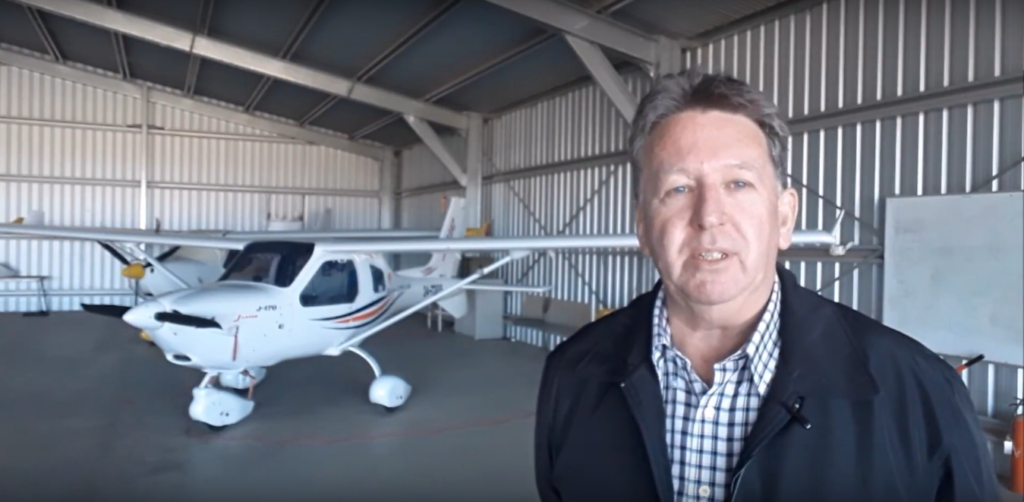
Brendon McAliece (Aka Gunnie) is a military veteran with 23 years working on Jet Fighters, their weapons systems and ejection seat/module systems as well as munitions and R&D. Involved with flight simulation since the 1980s, he has flown all the major flight simulators over the years.
He is an Australian expat who has lived in Malaysia, UK, Saudi Arabia and more recently Thailand. He is a multi-lingual blogger who loves to share his life experiences here on LetsFlyVFR.com and DreamingGuitar.com, with his lifestyle and Travel experiences Blog plus his Dreaming Coffee website.
Learn More @
DreamingGuitar.com – DreamingCoffee.com
LetsFlyVFR ETSY Store – Discover PIMAX VR Now!