
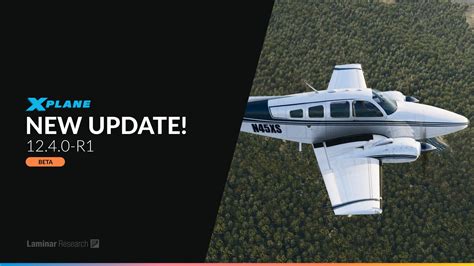
X-Plane 12.4 Beta – What You Need to Know!
Multi Threaded Performance & Bugs.
Laminar Research have been pushing hard with the X-Plane 12,4 Beta release punching hard to deliver multi threaded performance for all of us. This is a huge step and comes with some teething issues as many of us have encountered.
Coming rapidly after 12.4 B3 performance in the new 12.4 B4 release has returned for myself with my GPU not hitting the high 90’s in performance but now I have Quest controllers not working. These bugs are somewhat expected with such a big internal change to the X Plane 12 and delivering a massive core change to how X Plane works.
Remember fellow X Plane 12 pilots that if its all too much just fire up the X Plane 12 Installer and uncheck the BETA BOX and run the update. This will return you to the last stable build being 12.3.3 at the time of writing. All your issues will disappear. Be patient then reinstall when your ready to try the latest beta 5 or beyond.
12.4 Beta 5 — What’s New (“The Good”)
Beta 5 Updates (12.4.0-b5)
Latest public beta available (Dec 2025 / Jan 2026 window).
✈️ Aircraft
- Airbus A330-300 autopilot fixes
- Corrected LOC/HDG mode behaviour.
- Fixed unintended back-course autopilot engagement.
Graphics & Stability
- Improved logging for device loss errors (helps diagnose GPU driver / VR issues).
- Various crash fixes.
- SAM scenery plugin blacklisted due to frequent crashes (use openSAM as alternative). (X-Plane.Org Forum)
⚙️ UI / Controls
- Added new “Settings” menu item.
- Translation fixes.
- Additional crash and stability fixes. (X-Plane.Org Forum)
📜 Other 12.4 Beta Updates
Note: Laminar Research does not publish public detailed patch notes in KB for each beta number, but forums and community reporting give insight.
Beta 4
- SDK stability improvements.
- Additional safety and crash fixes. (Facebook)
Beta 3
- Aircraft, avionics, graphics, ATC and UI fixes.
- VR fixes: radial menu hangs, MSAA 8x distortion, FXAA right eye issue.
- Airport fixes, camera stability fixes, several crash fixes. (FSElite)
Earlier beta detailed changelogs (12.4.0-b1/b2) are not fully documented publicly, but early beta focused on foundational core improvements such as scenery threading and initial VR quality fixes.
💡 Key 12.4.0 Improvements (Base Release Notes)
Even outside specific betas, 12.4 includes major upgrades across the simulator: (X-Plane)
📈 Performance Enhancements
- Multi-threaded scenery processing to improve CPU utilization and lower spikes in demanding areas.
- Performance improvements for some AMD CPUs.
- Excluded cockpit displays from FXAA for clearer visuals with less blur. (X-Plane)
VR Improvements
- Improved controller detection (SteamVR).
- Performance optimization for VR.
- VR-specific graphics settings (separate from desktop). (X-Plane)
🐞 Reported Issues & Community-Observed Problems
Here are issues that community users are reporting (not all are officially fixed yet):
⚡ Performance & Low GPU Usage
- Users report GPU stuck ~50% and low FPS in VR and desktop until Beta 5. Some report improvement with 12.4 Beta. (Reddit)
- Performance can still vary wildly with heavy scenery or specific hardware. (X-Plane.Org Forum)
Possible Workarounds
- Ensure VR settings use VR specific graphics options in 12.4.
- Adjust anti-aliasing (FXAA off if blurry or MSAA overloads).
- Test with and without Zink / driver settings per platform.
🎮 Meta Quest Controllers Won’t Interact in VR
Your specific issue — controllers visible but not interacting with the menu — has community echoes:
- Reported behavioral symptoms: controllers visible, movement & tracking works, but buttons don’t interact with UI. (Reddit)
- Might be related to controller binding resets during beta updates (settings wiped). (Reddit)
Troubleshooting Steps (community/legacy suggestions):
- Enable VR Mouse in X-Plane VR settings (virtual mouse must be active).
- Rebind controller buttons for VR UI actions — triggers often need mapping to “Select” and “Grab”.
Often these settings reset when switching versions. - Plug in controllers before launching VR or start Steam/OpenXR first.
(Similar advice from older posts for VR controller clicks in X-Plane). (questions.x-plane.com)
There isn’t yet an official Laminar fix specifically addressing Quest controller UI interaction in 12.4 betas — it may come in later builds.
🔄 Other Known Bugs in the Wild
📌 VR Notes
- Random VR performance drops or 1 FPS lock reported (Windows / cable link). (Reddit)
- Some users disable FXAA / MSAA to test stability.
📌 Plugin Compatibility
- SAM scenery plugin disabled in Beta 5 due to SDK violations — transition to openSAM recommended. (Reddit)
🧩 Summary – The Good, The Bad & The Fixed
✔️ The Good (Improvements)
- Performance improvements for CPU / scenery processing. (X-Plane)
- VR enhancements and new VR-specific settings. (X-Plane)
- Numerous aircraft, avionics, graphics, and UI fixes across betas. (FSElite)
📉 The Bad (Ongoing Issues)
- Variable performance on some hardware.
- Meta Quest controllers still not fully interactive in VR UI for some users.
- Plugin compatibility (like SAM) breaks in Beta 5. (Reddit)
🛠️ Fixes
- Many crashes, rendering, avionics, ATC, and VR graphical bugs have been fixed across Beta 3, Beta 4, and Beta 5. (FSElite)
🧠 Tips for Reporting / Fixing Remaining Issues
✔ Submit bug reports via the X-Plane bug system with logs.
✔ Try a fresh vanilla install for beta testing.
✔ Disable conflicting mods that affect graphics or VR. (approachbrief.com)
Author
Brendon McAliece (Aka Gunnie) is a military veteran with 23 years working on Jet Fighters, their weapons systems and ejection seat/module systems as well as munitions and R&D. Involved with flight simulation since the 1980s, he has flown all the major flight simulators over the years.
He is an Australian expat who has lived in Malaysia, UK, Saudi Arabia and more recently Thailand. He is a multi-lingual blogger who loves to share his life experiences here on LetsFlyVFR.com and DreamingGuitar.com, with his lifestyle and Travel experiences Blog plus his Dreaming Coffee website.