
This LetsflyVFR.com Cessna 172 Reference Guide is intended for flight simulator pilots needing a quick reference guide while flying X-Plane 12 or Microsoft Flight Simulator.
IT IS NOT INTENDED FOR REAL WORLD APPLICATIONS – Please refer to your POH.
1. Quick Intro to the Cessna 172.
| Item | Information |
|---|---|
| First Flight | 1955 |
| Manufacturer | Cessna |
| Parent Company | Textron Aviation |
| Aircraft Type | Single-engine piston trainer and touring aircraft |
| Seats | 4 |
| Engine | Lycoming flat-four piston engine |
| Cruise Speed | Approximately 110–125 knots |
| Total Built | Over 45,000 aircraft |
| Primary Use | Flight training, VFR touring, navigation training |
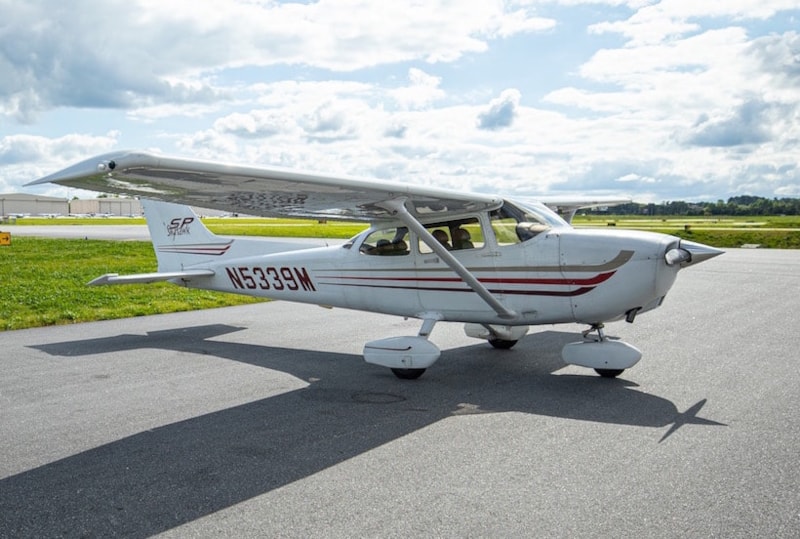
The Cessna 172 is the world’s most successful aircraft design and remains one of the most widely used training aircraft ever built.
2. Known Design Characteristics.
| Characteristic | Notes |
|---|---|
| Floaty Landings | The aircraft will float if approach speed is too high |
| Crosswind Sensitivity | Requires good rudder coordination in strong winds |
| High Wing Visibility | Wing can obstruct upward visibility during turns |
| Reduced Climb Performance | Performance drops in hot/high conditions |
| Forgiving Handling | Stable and ideal for training |
Sim Pilot Tip.
The Cessna 172 rewards smooth control inputs. Overcontrolling often causes unstable approaches and poor flare technique.
3. Walk Around Guide for Sim Pilots.
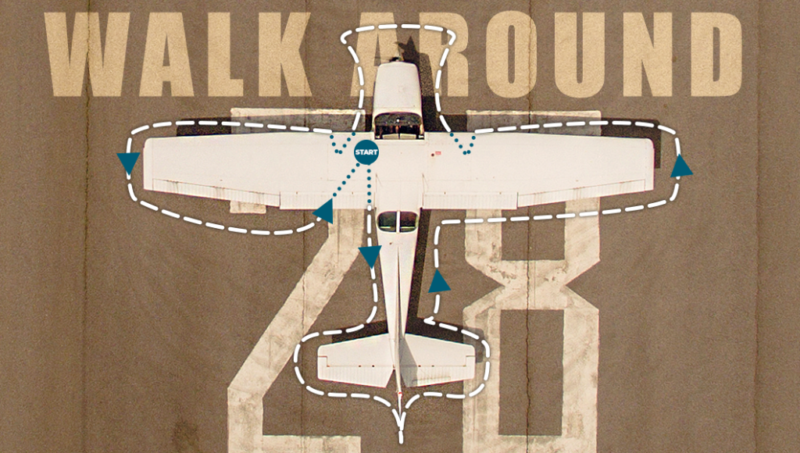
Left Wing
- Fuel quantity check
- Fuel cap secure
- Flap condition
- Aileron movement free
- Tire condition
Nose Section
- Oil quantity
- Propeller inspection
- Air intake clear
- Nose wheel condition
Right Wing
- Repeat wing inspection
- Fuel drain check
- Pitot tube clear
Tail Section
- Elevator movement
- Rudder movement
- Trim tab secure
Training Tip
Using a preflight routine in simulators helps build real-world cockpit discipline and procedural habits.
4. Start Procedure for Sim Pilots.
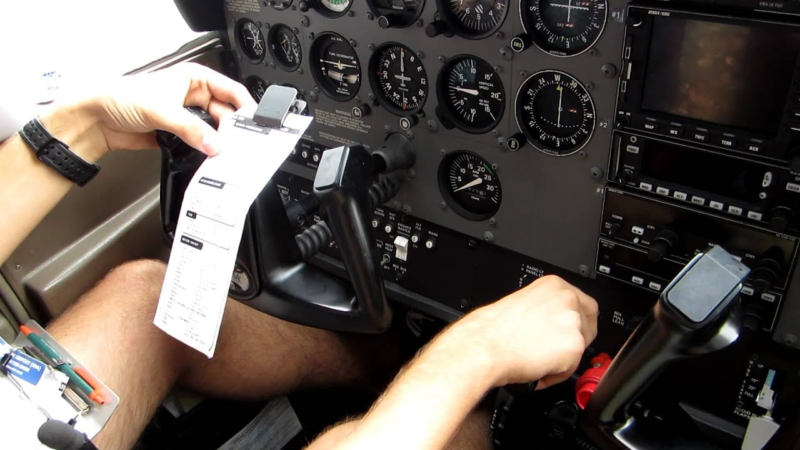
Ensure you have checked and prepared your aircraft documentation and referenced any maintenance discrepancies. Ensure the aircraft is not due maintenance by referencing maintenance and flight time information. As Pilot in Command (POH) its your responsibility and yours alone!
| Step | Action |
|---|---|
| 1 | Parking Brake — SET |
| 2 | Fuel Selector — BOTH |
| 3 | Mixture — RICH |
| 4 | Beacon — ON |
| 5 | Master Switch — ON |
| 6 | Prime if cold |
| 7 | Throttle slightly open |
| 8 | Ignition — START |
| 9 | Check Oil Pressure |
| 10 | Avionics — ON |
Typical Idle RPM
900–1000 RPM
5. V Speeds Quick Reference Guide.
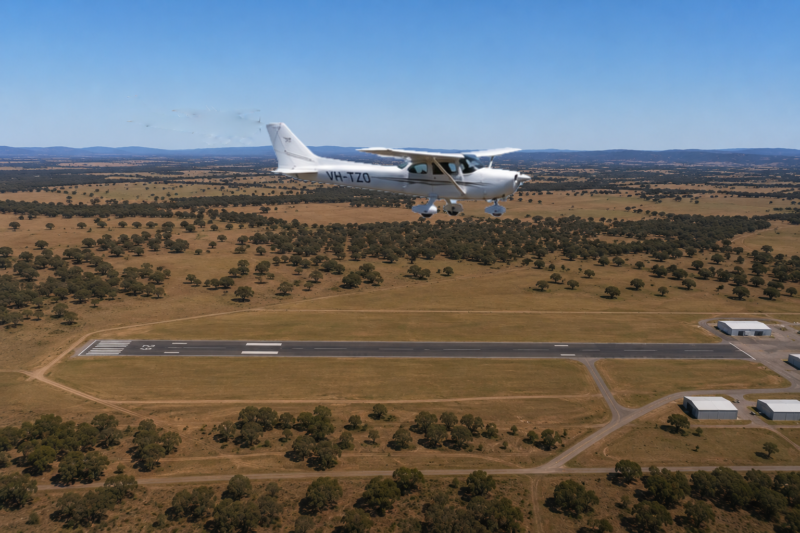
V Speeds are some of the most important numbers you need to remember when flying any aircraft. All aircraft VSPEEDS are different and sometimes even similar aircraft can have changes over time so check your POH. LetsFLyVFR.com has POH available on the website for many aircraft.
| Speed | KIAS | Meaning |
|---|---|---|
| Vs0 | 40 | Stall speed full flaps |
| Vs1 | 48 | Stall speed clean |
| Vr | 55 | Rotation speed |
| Vx | 62 | Best angle climb |
| Vy | 74 | Best rate climb |
| Cruise Climb | 80–85 | Practical climb speed |
| Best Glide | 68 | Engine-out glide |
| Approach | 65–70 | Normal landing approach |
| Short Final | 60–61 | Short field landing |
| Va | 90–105 | Maneuvering speed |
| Vfe | 85 | Maximum flap speed |
| Vne | 163 | Never exceed speed |
6. Cruise Guide-Altitudes & Engine Settings.
Being in cruise does not mean you select auto pilot and have a rest. Constant checking of your location against GPS or map references is necessary. Check the weather where you can at your next airport. Plan your approach on the information you have. What runway is likely and what approaches are likely to be needed it your using RNAV etc.
KNOW!
1. Do You Know your nearest divert airfield?
2. Is your Fuel state correct and its range is enough.
3. Check Your Radio Frequency is correct. They can change enroute.
4. Check You are on the Correct Altitude if your flying VFR flight plans.
Easterly =1500,3500,5500,7500,9500 Ft etc
Westerly = 2500,4500,6500,8500 Ft etc
5. Are You on Speed – Instruments Correct – Engine Indications Normal?
6. Now is time to plan and prepare for your arrival! Maps – GPS – Programmed!
Flying should never be boring because as you complete the limited guide above you need to repeat and repeat until you are safely on the ground – engine off – In the Hangar/FBO!
Recommended Cruise Altitudes.
| Situation | Typical Altitude |
|---|---|
| Local VFR Flying | 2500–4500 ft |
| Cross Country Flying | 4500–8500 ft |
Typical Engine Settings.
| Setting | RPM |
|---|---|
| Economy Cruise | 2200–2300 RPM |
| Normal Cruise | 2300–2400 RPM |
| Fast Cruise | 2400–2500 RPM |
Typical Cruise Speed
- 105–125 KTAS
VFR Altitude Rule
| Direction | Altitude Rule |
|---|---|
| Eastbound (0–179°) | Odd +500 ft |
| Westbound (180–359°) | Even +500 ft |
Examples:
- 3500 ft
- 4500 ft
- 5500 ft
You can remember:
East is least (Odd Numbers 1,3,5) and West is Best (Even Numbers 2,4,6).
7. Emergency Landing Guide.
Immediate Actions
- Maintain aircraft control
- Pitch for:
- 68 KIAS Best Glide
- Select landing area
- Attempt restart if altitude permits
- Prepare for forced landing
Aviate – Navigate – Communicate.
This is always your mantra! Fly the plane first – Never stop flying it even in an emergency. Pilots have died because the radio became their focus and they crashed.
Navigate to the nearest airport FIRST or Have an EMERGENCY landing point chosen. As you fly you should always be looking for landing places and be aware of the wind direction!
When the above are clear in your mind then pick up the radio and call. Remember no matter where you are you should have the main nav frequency chosen BUT also on your second radio select 121.5 Mhz. Real World Emergency Channel. Even in sim its a good practice.
High Key / Low Key Reference.
Altitudes depend on aircraft performance and know you will be surprised by how far you can fly if you use the correct speeds in your aircraft. I flew a Jabiru 170 far far further than I ever imagined while in training with an instructor.
There are visual general guides such as you can glide anywhere withing 45 degrees line of sight. IE from your view look out say halfway down the strut of your Cessna 172 and the furthest you can plan is that point on the ground. It very much depends on your altitude but this is a fair quick reference if you lose power on initial climb.
Don’t try and do a 180 and land back where you just took off from unless your around 1000ft agl. There are other figures bandied about but at least in your X Plane 12 or MSFS cockpit you can test altitudes safely. Don’t try this in the real world!
| Position | Typical Altitude |
|---|---|
| High Key | 2000–2500 ft AGL |
| Low Key | 1000–1200 ft AGL |
| Final Turn | 500–700 ft AGL |
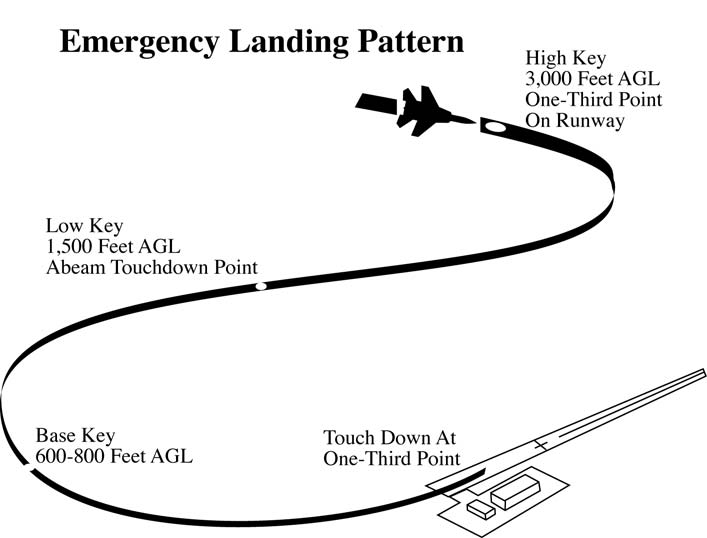
High Key
- Normally overhead the landing area
- Assess:
- Wind
- Glide distance
- Landing direction
Low Key
- Typically abeam touchdown point
- Commit to landing
- Configure aircraft for final approach
8. Shutdown Procedures.
Congratulations on your successful flight. Take a breath and relax!
| Step | Action |
|---|---|
| 1 | Parking Brake — SET |
| 2 | Avionics — OFF |
| 3 | Lights — OFF |
| 4 | Mixture — IDLE CUTOFF |
| 5 | Ignition — OFF |
| 6 | Master Switch — OFF |
| 7 | Fuel Selector — OFF if applicable |
9. Flight Simulator Disclaimer.
This guide is intended for:
- Microsoft Flight Simulator
- X-Plane 12
- General VFR familiarisation
This document:
- Is NOT approved for real-world flight training
- Does NOT replace certified flight instruction
- Does NOT replace official aircraft documentation or Pilot Operating Handbooks (POH)
Always consult official aviation references and qualified instructors for real-world operations.