
X-Plane 12 VR Revolution: Everything Coming in Update 12.4.3
Laminar Research has officially unveiled what may become the most important VR update in X-Plane history and for virtual pilots, cockpit builders, and flight sim enthusiasts alike, X-Plane 12.4.3 looks set to redefine VR immersion completely.
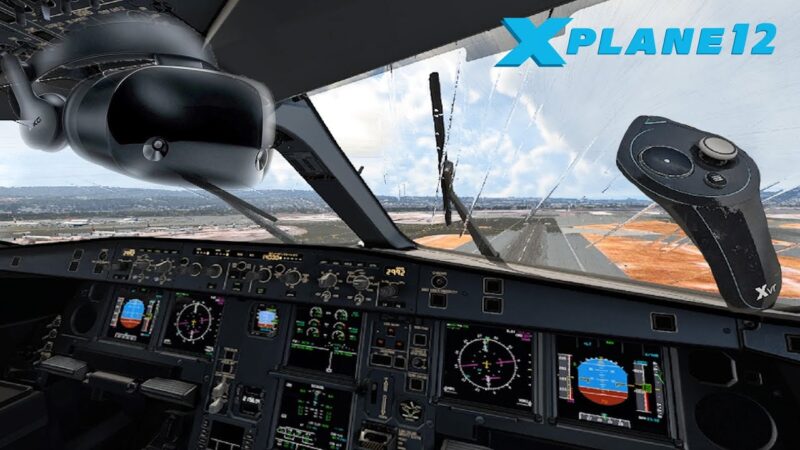
This is not a minor tweak or graphical patch. This looks to be an epic next step for us Virtual Reality Fanatics, myself included!
According to Laminar, X-Plane’s VR system has been rewritten from the ground up, introducing next-generation spatial computing, mixed reality cockpit integration, hand tracking, eye-tracked performance optimizations, and a completely modernized VR interface.
Whether you fly with premium headsets like Apple Vision Pro and Varjo or more mainstream PCVR hardware there is a lot to be excited about. It seems that not all features will be available to all but we will cover this below.
Let’s break down exactly what’s coming and what it means for the future of flight simulation.
A Complete VR System Rewrite
X-Plane’s VR backend has been rebuilt from scratch.
Laminar states this overhaul addresses long-standing community complaints while preparing the simulator for the future of VR and mixed reality. This isn’t just adding features it’s rebuilding the foundation.
For users, that means:
- Better input handling
- Improved hardware compatibility
- More scalable performance systems
- Modern OpenXR integration
- A platform ready for future expansion
This is likely the most significant VR architecture change X-Plane has ever received.
Mixed Reality Cockpits Are Coming
Perhaps the most game-changing feature is Mixed Reality (MR) support.
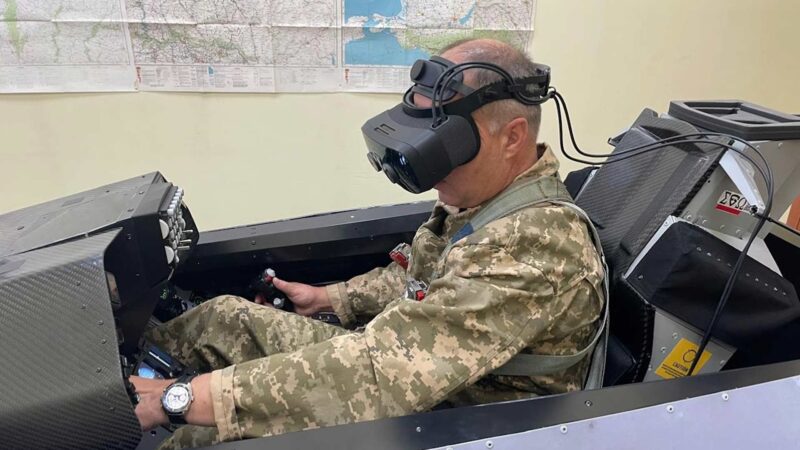
For compatible passthrough headsets, X-Plane will now allow pilots to:
- See their real physical cockpit hardware
- While retaining the virtual outside world and aircraft environment
- Creating a true hybrid simulator experience
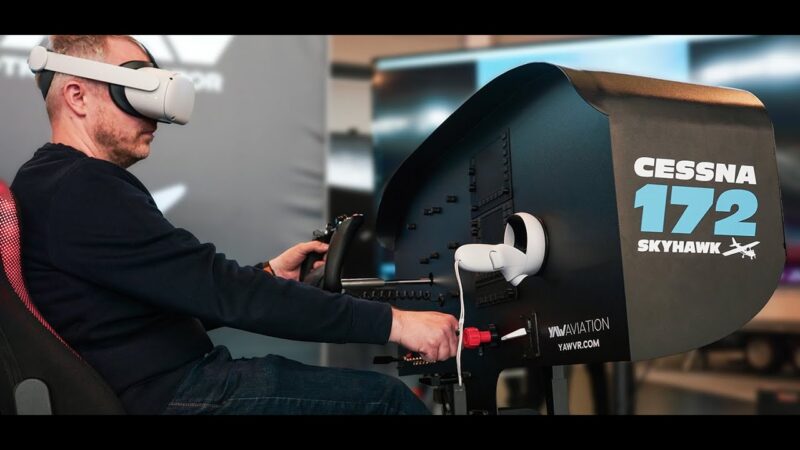
Imagine sitting in your real home cockpit:
- Your yoke, throttle quadrant, and switch panels are physically visible
- Your real-world cockpit shell aligns with the virtual cockpit
- Outside your windows is the fully rendered X-Plane world
This could be a massive leap forward for home cockpit builders.
Advanced Spatial Tracking for Physical Cockpit Alignment
To support mixed reality properly, Laminar is introducing QR-based spatial tracking.
Users can place printed markers around their cockpit, allowing X-Plane to:
- Detect panel positions
- Persist their location in 3D space
- Align physical hardware with virtual cockpit geometry
For Apple Vision Pro users, even more advanced ARKit masking tools will be available for custom cockpit cutouts and tracking zones.
Why This Matters
This solves one of VR flight simming’s biggest problems:
“I can’t see my real controls.”
Now you can!
Hand Tracking Finally Arrives
X-Plane 12.4.3 introduces native hand tracking support.
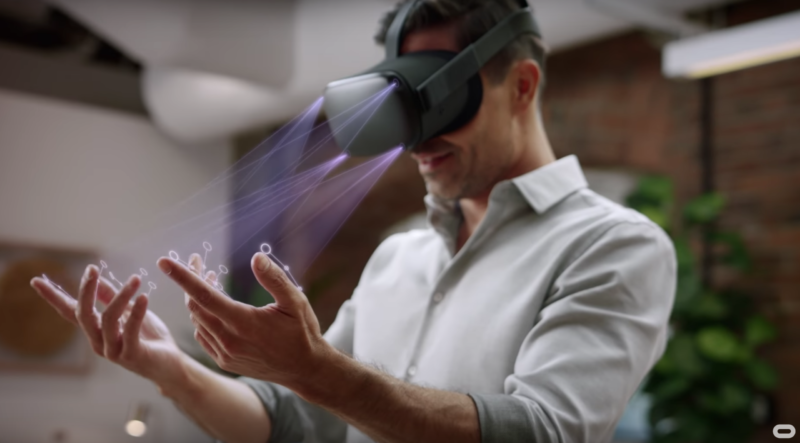
No controllers required.
Pilots will be able to:
- Reach out and manipulate switches naturally
- Pinch, grab, rotate, and drag cockpit controls
- Interact with aircraft using gesture-based hand recognition
Laminar has overhauled cockpit manipulators specifically for gesture-aware interaction. This is a real ground breaker for sim pilots for sure. Interacting with your environment while flying is dropping us down the true immersion rabbit hole. Exciting times ahead it seems fellow VR pilots.
What This Means for Immersion
Hand tracking could remove one of the final immersion barriers in VR:
- No fumbling with VR controllers
- No guessing at switch positions
- More realistic cockpit procedures
- Better training realism for flows and checklists
Eye-Tracked Performance Boosts: Foveated Rendering & VRS
VR users know performance is everything.
To help improve framerate and clarity, X-Plane 12.4.3 adds:
Foveated Streaming
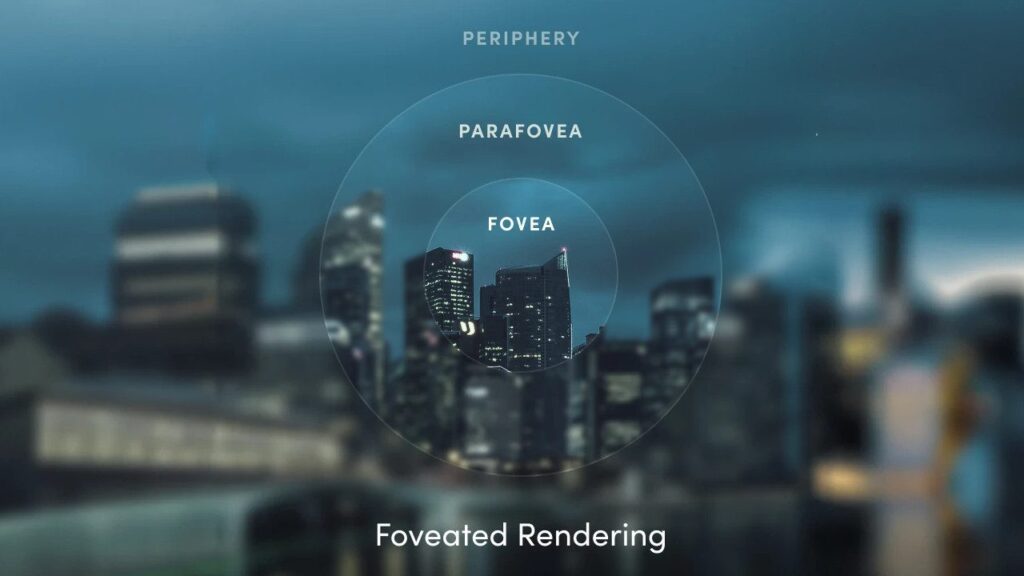
For streamed headsets like Apple Vision Pro via CloudXR:
- Highest resolution where your eyes are looking
- Lower resolution in peripheral vision
- Reduced bandwidth and latency
It appears this may not be available for all at the moment of release. There seems to be a love love relationship with Sony and their headset so others like myself on Meta may miss out on some features initially.
Variable Rate Shading (VRS)
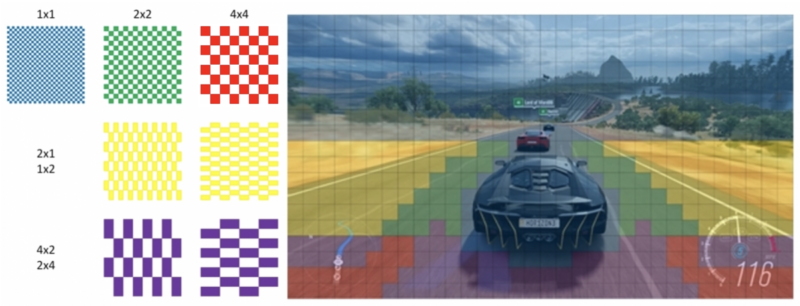
For OpenXR eye-tracked headsets:
- GPU renders full detail only at gaze point
- Peripheral shading quality is reduced intelligently
- Significant potential FPS improvements
New VR User Interface and Gesture Controls
Laminar is replacing the old VR menu system with a modern interface built specifically for hand tracking.

New features include:
- Floating resizable windows
- Glassmorphism-inspired modern UI
- Drag-and-place VR panels
- Wrist-tap radial menu shortcuts
- Improved gesture navigation
This should make the VR experience feel dramatically more polished and modern. The ability to interact even with VR cockpits and manipulate switches and knobs will make the experience much improved. I guess feedback gloves would be then the next step to you feel the contact when you can see it. What do you think? Let me know in the comments below.
Apple Vision Pro Support: Why It Matters Beyond Apple Users
A lot of headlines are focusing on Apple Vision Pro, but the bigger story is what it represents:
This Is Not Just an Apple Feature
Apple Vision Pro is simply the first showcase device.
The underlying systems are built around OpenXR extensions, meaning many of these features can support other compliant headsets.
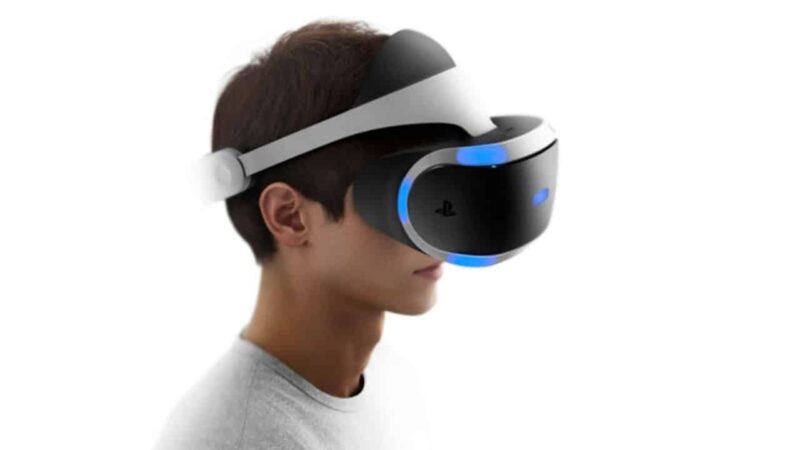
Why Sony / PSVR2 / Other Future Headsets Matter
The industry is moving rapidly toward:
- Eye tracking becoming standard
- Passthrough mixed reality becoming mainstream
- Hand tracking improving across platforms
- Spatial computing ecosystems expanding
By building for OpenXR and advanced XR standards now, Laminar is effectively future-proofing X-Plane for the next generation of VR hardware.
What About Meta Quest Users?
This is the biggest question in the community.
The Reality for Quest 2 / Quest 3 Users
According to Laminar:
- Quest does NOT currently expose required OpenXR extensions for PC passthrough/hand tracking in the way X-Plane needs
- Therefore many flagship new features will not work on Quest for now.

But Quest Users Still Benefit
Quest users will still gain:
- Improved VR backend
- Better controller/cockpit manipulation
- New VR UI
- General VR optimizations
- Future compatibility groundwork
So while Quest may miss some advanced MR features initially, the platform still benefits from the overhaul.
Why This Could Be Massive for X-Plane’s Future.

This update signals something much bigger than “better VR.”
It shows Laminar is investing in:
- Next-generation simulation interfaces
- Home cockpit / hardware integration
- Spatial computing
- Advanced immersion technologies
- Future headset ecosystems
Combined with the simulator’s aerodynamic depth, weather engine, and growing multithreading improvements, X-Plane may be positioning itself to become the most advanced serious VR flight simulator platform available.
Final Thoughts
X-Plane 12.4.3 is shaping up to be a landmark release. For VR pilots, this may be the moment where X-Plane moves from:
“VR-capable simulator”
to
Industry-leading VR flight simulation platform.
If Laminar delivers on what has been previewed, X-Plane’s VR ecosystem could leap years ahead in a single update.
The future of virtual aviation is no longer just VR.
It’s spatial computing, mixed reality, and true cockpit immersion.
Sources / Further Reading
Official Laminar VR Preview and roadmap details:
Frequently Asked Questions (FAQ)
1. What is NVIDIA CloudXR and how does it work with X-Plane 12?
NVIDIA CloudXR is a high-performance VR streaming platform that renders X-Plane 12 on a powerful RTX PC and streams it wirelessly to a VR headset. Instead of running the simulator on the headset itself, your PC does all the heavy lifting while the headset displays the output and tracks your movements in real time.
2. Can I use CloudXR with X-Plane 12 right now?
Not yet. CloudXR support for X-Plane is expected to arrive with the X-Plane 12.4.3 update. Until that release is available, CloudXR cannot be used natively with the simulator.
3. Do I need an Apple Vision Pro to use CloudXR in X-Plane?
No—but early support is heavily focused on Apple Vision Pro. Other headsets may support CloudXR in the future, but Vision Pro is currently the primary platform being demonstrated due to its advanced mixed reality and eye-tracking capabilities.
4. Will CloudXR work with Meta Quest headsets?
At the moment, Meta Quest 3 and other Quest devices have limited compatibility. This is mainly due to restrictions in their OpenXR implementation, particularly around passthrough mixed reality and advanced tracking features required by X-Plane’s new VR system.
5. What is foveated rendering and why does it matter?
Foveated rendering uses eye tracking to render full detail only where you’re looking, reducing GPU load and improving performance. This is especially important in high-resolution headsets like Vision Pro, where rendering the full scene at maximum detail would otherwise be extremely demanding.
6. What internet or network setup is required for CloudXR?
You’ll need a fast and stable local network, ideally:
- Wi-Fi 6E or Wi-Fi 7
- Low latency (router close to headset)
- Wired Ethernet connection from PC to router
CloudXR relies more on network quality than internet speed, since most setups run locally.
7. Can CloudXR be used with other VR games besides X-Plane?
Yes, CloudXR can work with many OpenXR and SteamVR applications, but compatibility varies. It’s more commonly used in enterprise and simulation environments than consumer gaming, although that may change as support expands.
8. Is CloudXR better than Air Link or Virtual Desktop?
CloudXR offers more advanced features like:
- Eye-tracked foveated streaming
- Better mixed reality integration
- Higher potential visual fidelity
However, tools like Air Link and Virtual Desktop are currently easier to use and more mature for everyday consumer VR gaming.
9. Will X-Plane 12.4.3 improve VR performance even without CloudXR?
Yes. The update includes a full VR system overhaul, meaning users can expect:
- Better performance
- Improved controller interaction
- A redesigned VR interface
- More stable OpenXR support
Even without CloudXR, the experience should improve significantly.
10. Is CloudXR the future of flight simulation VR?
CloudXR represents a major step toward wireless, high-fidelity, mixed reality simulation. While still evolving, it has the potential to become a core technology for serious simmers—especially those using physical cockpit hardware combined with next-generation VR headsets.Move upMove downToggle panel: Yoast SEOPostBlock
Author

Brendon McAliece (Aka Gunnie) is a military veteran with 23 years working on Jet Fighters, their weapons systems and ejection seat/module systems as well as munitions and R&D. Involved with flight simulation since the 1980s, he has flown all the major flight simulators over the years.
He is an Australian expat who has lived in Malaysia, UK, Saudi Arabia and more recently Thailand. He is a multi-lingual blogger who loves to share his life experiences here on LetsFlyVFR.com and DreamingGuitar.com, with his lifestyle and Travel experiences Blog plus his Dreaming Coffee website.